8
CUSTOMER SUPPORT TEAM: +44 (0) 333 220 6058
4. Press and hold the Skip Forward or Skip
Backward buttons to scan the radio
station. The jukebox will stop scanning
once it picks up a radio station.
5. Long press the Play/Pause button to scan
the radio station and save.
6. You can also press the Prog button to
save a radio station after scanning.
7. Press the Stop button to play a previously
saved radio station.
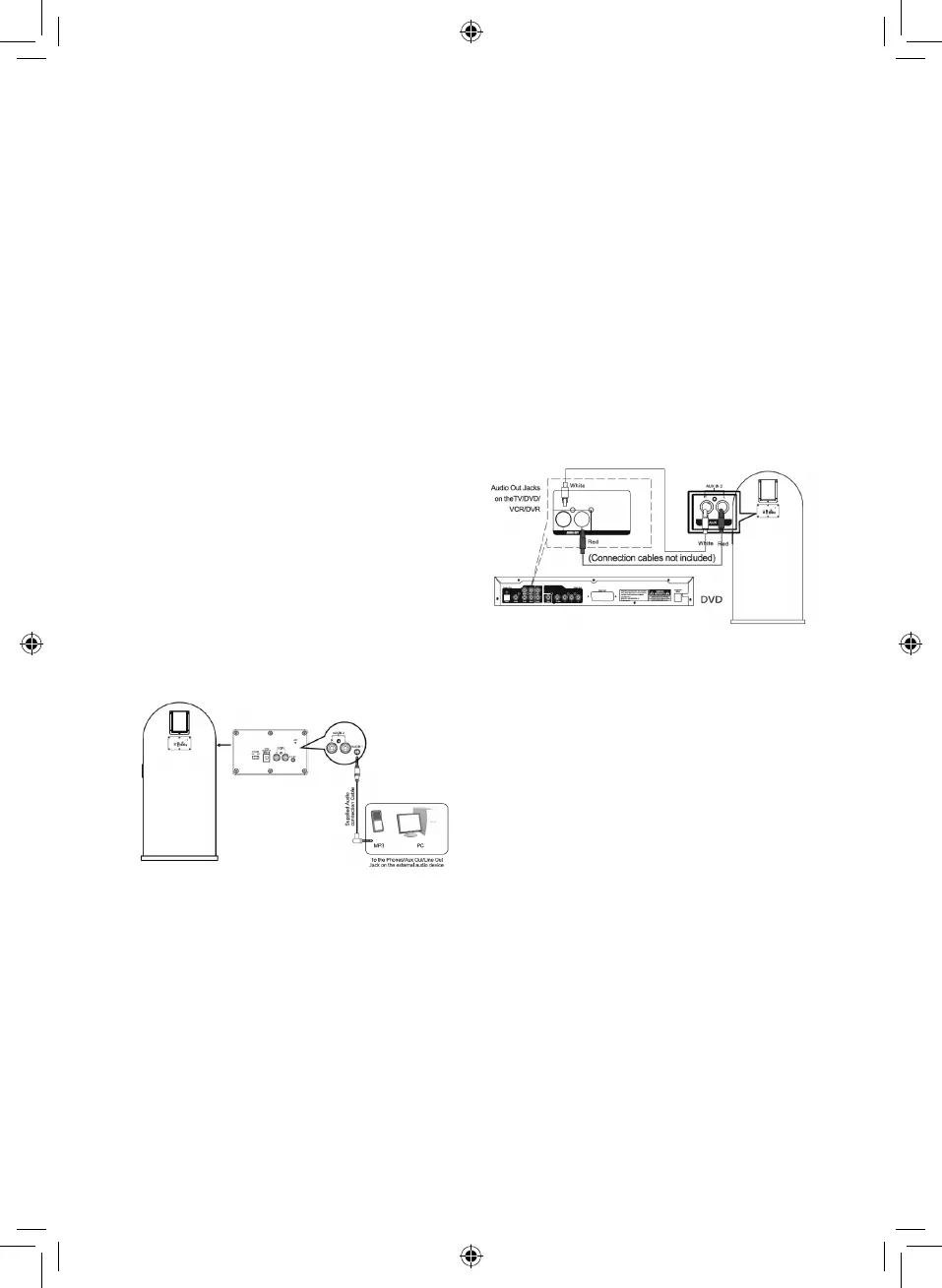
Aux-in 1:
Requires a 3.5mm Aux cable (included)
1. Connect one end of a 3.5mm cable to the
Aux-in 1 jack, and connect the other end
to an MP3 player or other audio device.
2. Press the Power/Mode button on the
control panel or the press the mode
button on the remote control repeatedly to
select Aux-in mode.
3. You can now play or skip songs using the
controls on your audio device.
Aux-in 2 RCA Connection:
Requires an RCA cable (not included)
1. Connect one end of a RCA cable (not
included) to the Aux-in 2 jack, and
connect the other end to an external
Audio/Video device such as a TV, DVD
player etc.
2. Press the Power/Mode button on the
control panel or the press the mode
button on the remote control repeatedly to
select RCA mode.
3. You can now play or skip songs using the
controls on your audio device.
LED Lights:
1. To turn the LED lights on, press and hold
the LED ON/OFF button on the remote.
To turn the lights o, press and hold the
LED On/O button.
2. Long press the LED On/O – Open/Close
button on the control panel to turn the
LED lights on and o.


 To Next Page