9
Using the Remote Control:
Before rst use, remove the clear plastic tab
from the rear of the remote control and discard.
To open the battery compartment, slide the
tab to the right and pull the tray out. Insert
or replace the exhausted battery with a 3
V CR2025 battery, observing the polarity
markings and then close the tray.
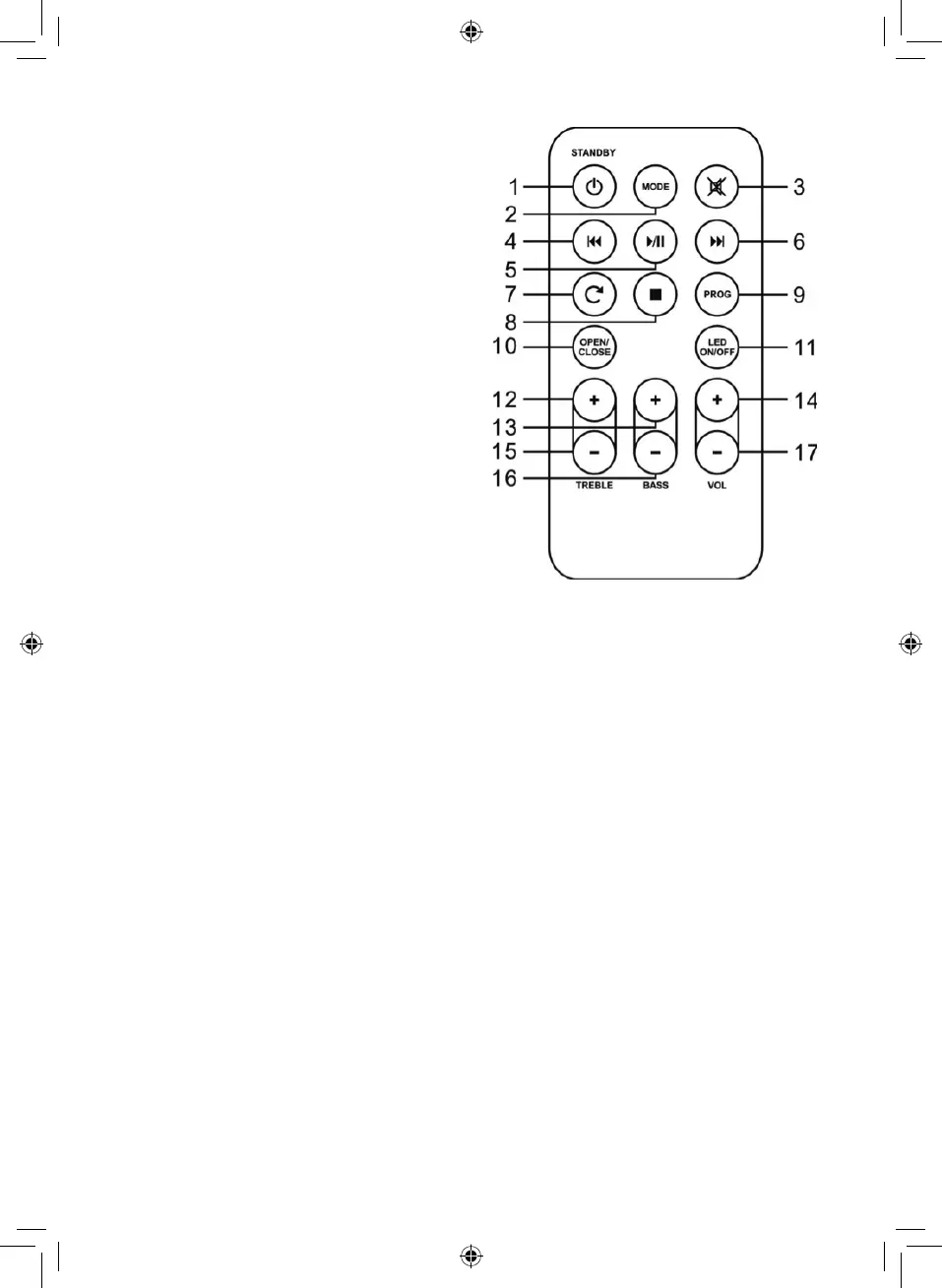
Remote Control:
Aim the remote control directly at the remote
control sensor (IR) on the front panel. Do not
put any objects between the remote control
and the system while operating the unit.
1. Standby
2. Mode
3. Mute
4. Skip Forward
5. Play/Pause
6. Skip Backward
7. Repeat
8. Stop
9. Prog
10. Open/Close
11. LED On/OFF
12. Treble + and -
13. Bass + and -
14. Volume + and -
Mode: Press the source button to move
between CD, Radio, Bluetooth,
Aux.1 and Aux.2 modes.
Mute: To mute all sound from the
jukebox, press the ‘Mute’ button
on the remote control. Press it
again to resume the sound.
LED ON/OFF: Press ‘LED ON/OFF’ on the
remote to turn the lights on.
Press the same button again to
turn them o.
Treble: Adjust the treble output by
using the treble + and – buttons
on the remote control until the
desired eect is achieved.
Bass: Use the bass + and – buttons
on the remote control to adjust
the bass output until the desired
eect is achieved.


 To Next Page