7
BEFORE YOUR FIRST USE:
1. Remove the product from the box.
2. Remove any packaging from the product.
3. Please retain all packaging until you have
checked and counted all the parts and the
contents against the parts list.
4. Your appliance is now ready for normal
use.
Dispose of the packaging in a responsible
manner.
USING THE REMOTE CONTROL TO
OPERATE THE UNIT:
Aim the remote control directly at the remote
control sensor (IR) on the front panel. Don’t put
any objects between the remote control and
the system while operating the unit.
BATTERIES:
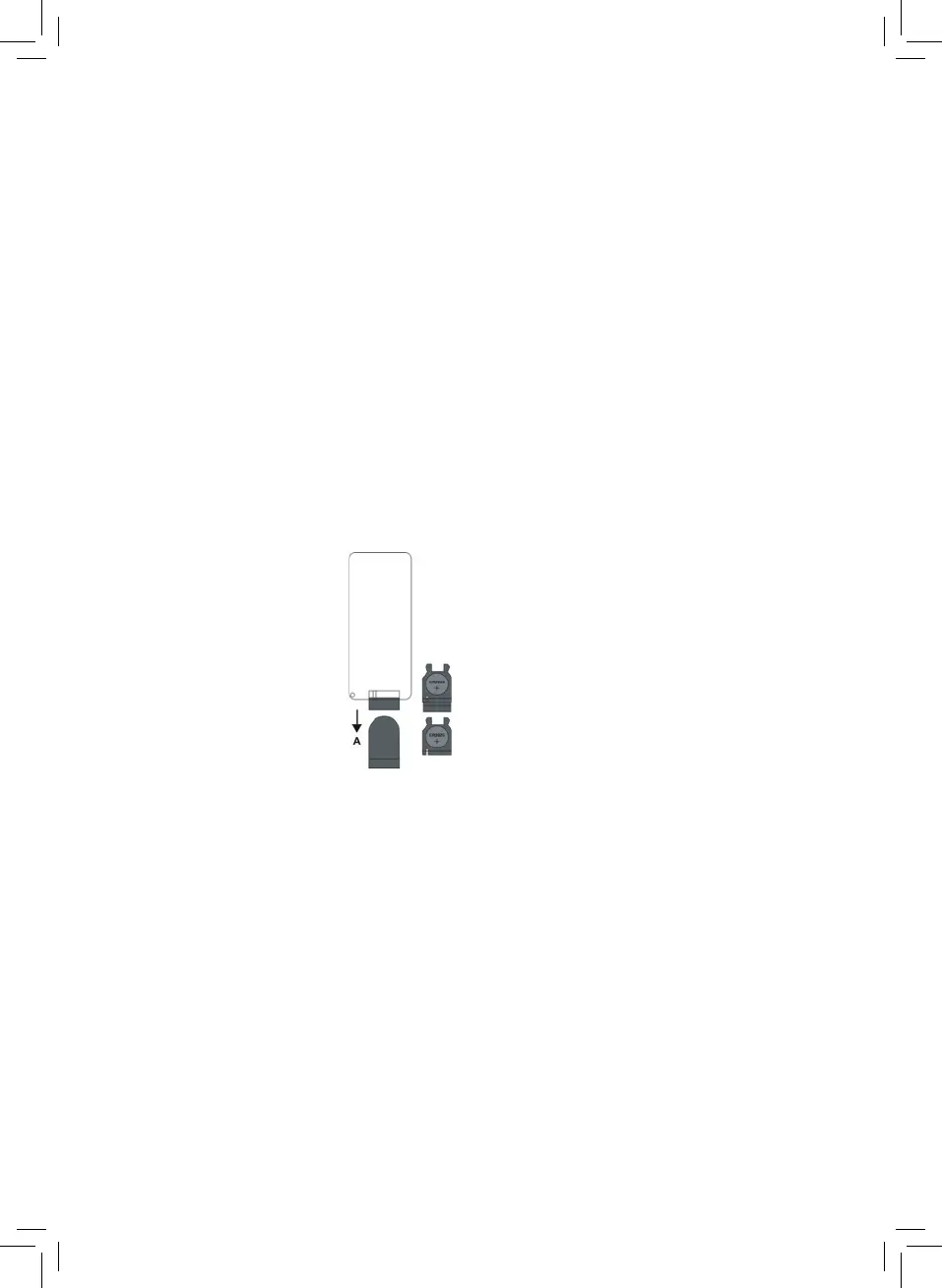
1. Slide out the battery
holder from the remote
control case. (Push tab
“A” towards the middle
rst, see diagram).
2. Place one 3V CR2025
(Lithium) battery into the
battery holder, observing
the polar marking. If
the battery is placed
incorrectly, the remote control will not
work. Dispose of the old battery properly.
Do not leave it lying around where a you
child or pet could play with or swallow it.
3. The battery may explode or leak if it is
mistreated. Do not attempt to recharge it
or disassemble it. Do not dispose of the
old battery in a re.
4. Insert the battery holder into the battery
compartment.
Note: Please remove all the batteries to
prevent damage or injury from battery leakage
if the unit will not be used for a long period of
time. Use only the specied size and type of
battery.
USING YOUR APPLIANCE
• Connecttheincludedmainspower
adaptorintotheDCinputsocketonthe
backofthejukeboxandthenplugthe
adaptorintothemainpowersupply
• Powerontheunit,movetheON/OFF
buttontotheleftsidetoturnthejukebox
on.Toturnito,pushtheswitchtothe
right.
• Toturnthejukeboxon,pressthe
Standbybuttononthecontrolpanelor
pressthestandbybuttonontheremote
control.
• ShortpresstheSource/LEDONOFF
buttononthecontrolpanelorusethe
Modebuttonontheremotecontrolto
movebetweentheFM,BT,Aux-inand
RCAmodes.
• AdjustthevolumeusingtheVolume+
andVolume-buttonsontheremote
controlorbypressingtheVolume+and
Volume-buttonsonthecontrolpanel.
• SwitchtheLEDlightsonoroby
pressingonthecontrolpanel,orby
pressingtheLEDON/OFFbuttononthe
remotecontrol.
• Setthejukeboxtostandbyonthe
controlpanelorbypressingtheStandby
buttonontheremotecontrol.


 To Next Page
 Loading...