9
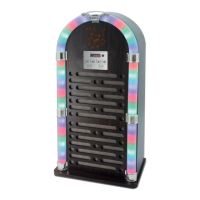
Changing LED light
1. To turn the LED lights on , press the LED
ON/OFF button once on the remote. To
turn the lights o, press the LED ON/OFF
button again.
2. Long press the LED ON/OFF button on
the control panel to turn the LED lights on
and o.
TROUBLESHOOTING
The following checks will assist in the
correction of most problems which you may
encounter with your set. Before going through
the check list below, rst check the following
points:
The power cord must be connected rmly.
Should any problem persist after you have
made these checks consult your nearest
dealer.
Problem Possible Causes and
Solutions
The jukebox has
no power.
Ensure that the adaptor has
been properly connected.
Check that the jukebox has
been switched on at the mains
power supply.
The jukebox
is not playing
sound.
Check that the volume level
is set at an audible level and
adjust accordingly.
Unable to pair
a Bluetooth
device.
Check if the device is
compatible with the jukebox
and ensure the Bluetooth
function on your device is
switched on.
The jukebox may not be set
to the correct mode. Press
the source button to select
the Bluetooth function – when
the Bluetooth indicator light is
ashing, search for ‘I60020’ on
your device.
The remote
control is not
working.
The battery may be exhausted.
Replace with a new battery.
Make sure the remote is
pointed at the jukebox during
use.
The sound is
distorted.
The volume or bass level
may be too high. Reduce the
volume and/or bass levels to
increase sound clarity.
Note: The normal function of the product
may be disturbed by strong Electro-Magnetic
Interference. If so, simply reset the product
to resume normal operation. If the issue
continues, please move the product to another
location.


 To Next Page