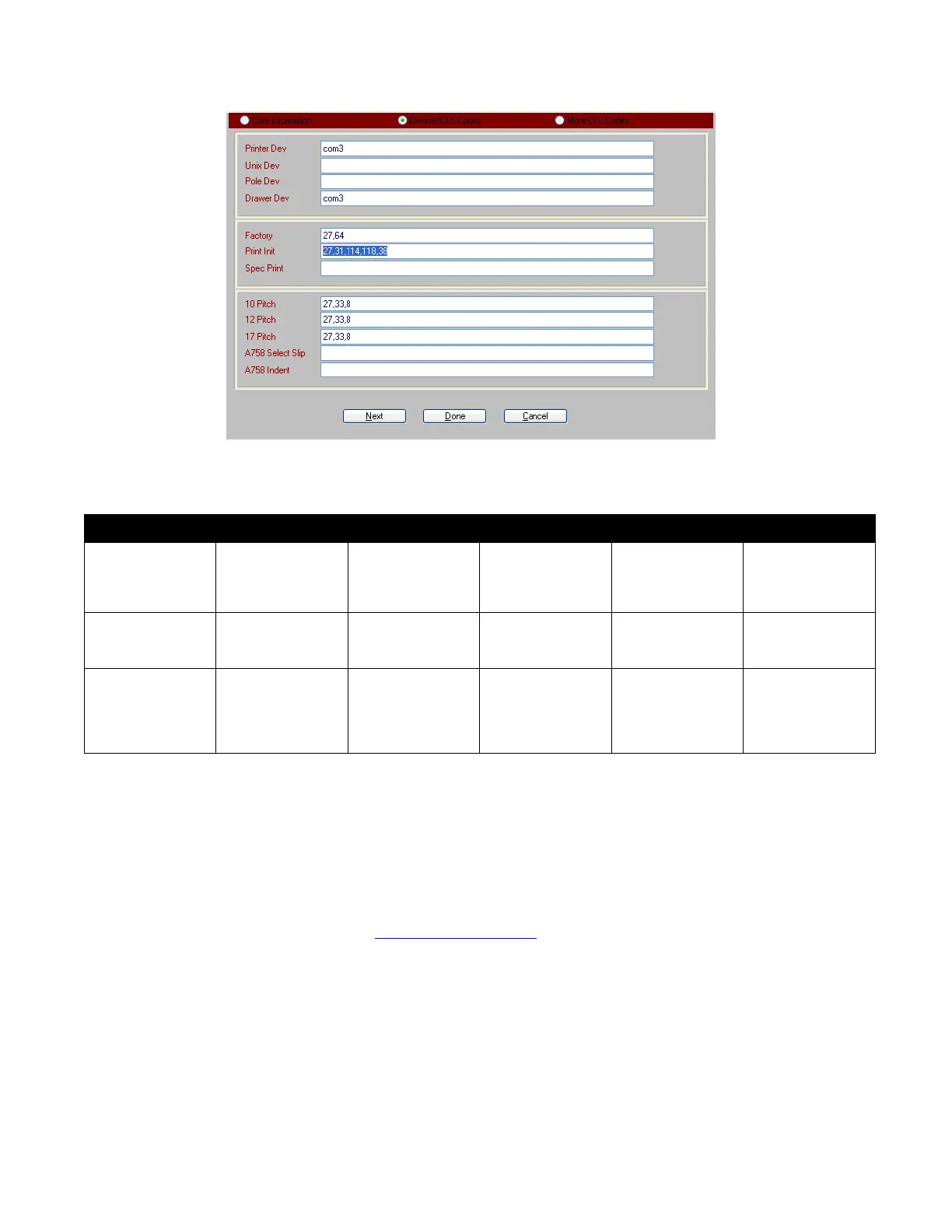
Ithaca 610 and iTherm 280 Configuration RecTrac
Vermont Systems Inc. 10/4/2016 5
Drawer Cable Information
Printer/Drawer Drwr 1 Cable Drwr 2 Cable Splitter/Cable RT Drwr 1 Codes RT Drwr 2 Codes
Ithaca 610 or
iTherm
280/Indiana Cash
Drawer
2-10075 2-10232 OR
2-10076
splitter/
2-10155
27,112,48,64,64 27,112,49,64,64
Ithaca 610 or
iTherm 280/MMF
Dumb Drawer
226-199ITHA10-
00
226199ITHA20-00 225-SBIT2-00 27,112,48,64,64 27,112,49,64,64
Ithaca 610 or
iTherm 280/MMF
Serial Smart
Drawer (2 drawer
setup)
226199ND9F0609 27,112,48,64,64 27,112,49,64,64
Troubleshooting
If you should encounter "Document failed to print" error messages upon printing from the
Ithaca610 USB printer, you may need to install the latest 5.0.1.1 driver (rather than the 5.0.01).
The following instructions will guide you through this installation.
Go to the following web address:
ftp://ftp.transact-tech.com/ <BLOCKED::ftp://ftp.transact-tech.com/>.
Please use the following Username and Password to access:
Username: firmware
Password: Pr1nt3rs69
1 Click FTP link above
2 Right Click on the blank page in Internet Explorer



 To Next Page