43
CAUTION: To avoid the risk of personal injury, equipment damage,
and battery failure, only install the battery type that the
tab indicates.
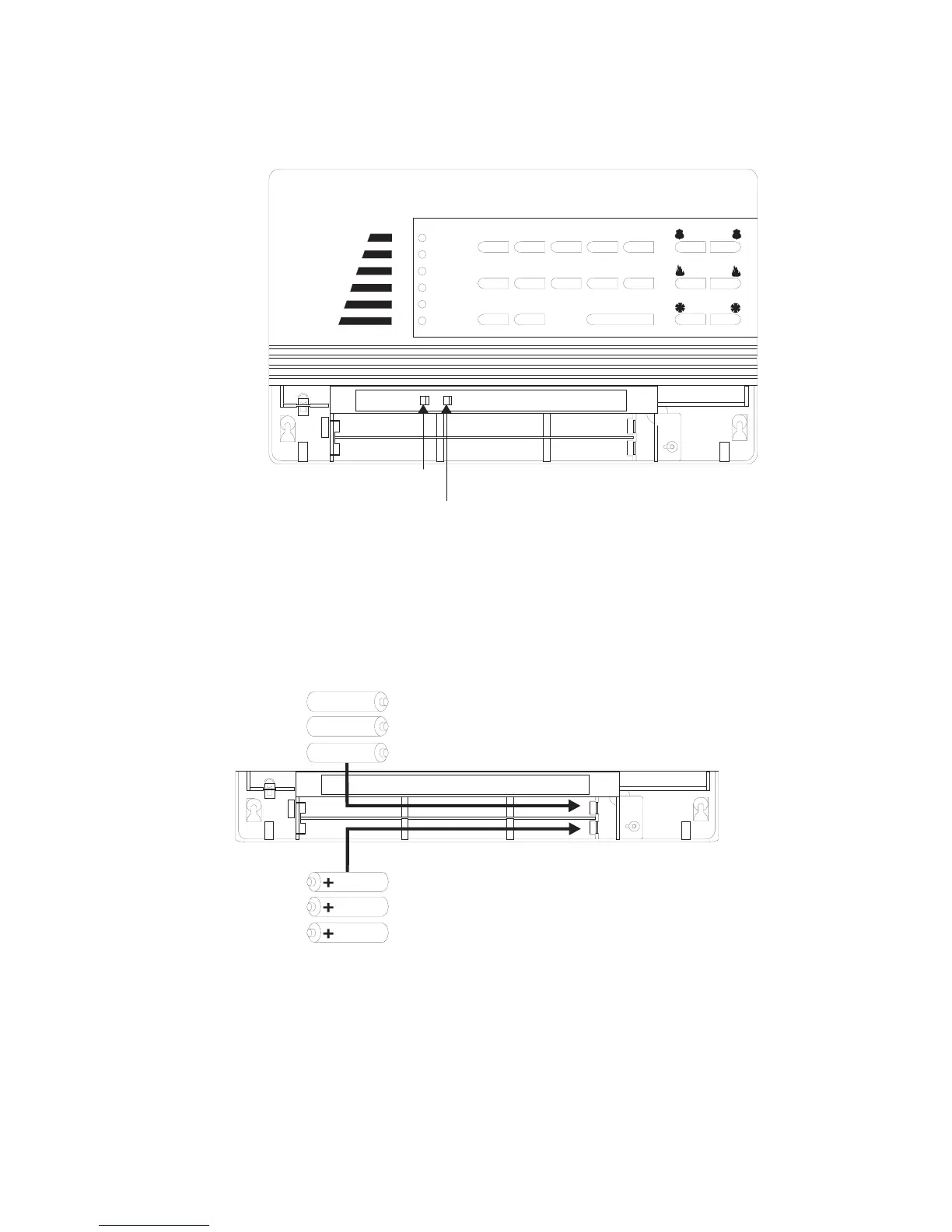
Figure 6
. Tab Indicates Battery Type Installed
4. Remove the batteries from the battery bucket.
5. Insert appropriate new batteries in the order and direction shown in Figure 7.
Figure 7
. Battery Polarity and Order of Installation
6. Replace the battery door on the panel.
7. Wait 30 seconds, then press
STATUS.
The panel should announce, Alarm system is OFF, system battery is OK, AC power
is OK. If the panel announces, Alarm system is OFF, system battery failure, check the
P
OWER
R
EADY
S
TAY
A
WAY
N
O
D
ELAY
T
ROUBLE
1
2
3
4
5
6
7
8
90
BYPASS
COM M AND
POLICE
FIRE
AUXILIARY
STATUS
NiCd
ALKALINE
8333G48A.DS4
1
2
3
+
+
+
8333G28C.DS4
6
5
4



 To Next Page