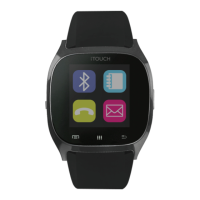
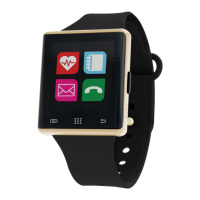
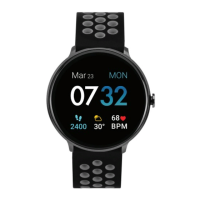
Dial / Keypad
OK / Answer
Power / Home
Back
1
2 3
Google Play store.
- Open the iTOUCH SW2 App once it’s downloaded. Tap on
the Bluetooth icon. A list of visible devices will show on the
next screen. Select your iTOUCH from the list.
- A window should pop up saying “Bluetooth Pairing
Request”. Select “Pair” and the phone will pair with your
ITOUCH. You will now see a Bluetooth icon that is half Green
device is fully connected via the app.
iPhone™:
- Before you begin, go to the Apple Store, search for and
download the ITOUCH SW2 app.
menu>>Bluetooth>>make sure it is switched on.
- Once you have confirmed that Bluetooth is on, you should
see the device in your Devices list. It should show as
iTOUCH. Select this device to connect. You will see a Blue
Bluetooth icon on the watch to let you know that you are
connected to your device
- Once the device shows as connected, go to the ITOUCH
SW2 app you downloaded and open it.
- Select the plus sign and then select the pink Bluetooth icon.
a lit of visible Bluetooth devices will appear. Select your
iTOUCH from the list.
- A window should pop up saying “Bluetooth Pairing
Request”. Select “Pair” and the phone will pair again with
your ITOUCH. You will now see a Bluetooth icon that is half
your device is fully connected via the app.
ANDROID: Camera Remote, Find Phone, SMS, Mail, and
User Manual
· Power On/Off key/HOME key: hold down to power device on
or off. Press once to return to the home interface and to
· Back/End key: Tap once to move back to previous menu or to
hang up when done with a call.
· Volume key: Tap to bring up volume adjustment screen while
in standby.
· Ok/Answer key: Tap to bring up the menu while in standby,
confirm key while in the main menu, and answer key while
making a call.
· Microphone
· Micro USB plug: for charging your device using the included
micro USB cable.
· Speaker
ANDROID™:
- Before you begin, download the iTOUCH SW2 app from the
User Manual for the iTouch
Thank you for choosing the iTOUCH
SmartWatch. Please read the manual
before you begin using your iTOUCH.
This manual will help you to
understand the full functionality and
simple operation of your device. This
smart watch is mainly used as a basic
and social media apps. It can
synchronize your phonebook and
make work and leisure activities that
much more enjoyable.
3160

 Need help?
 General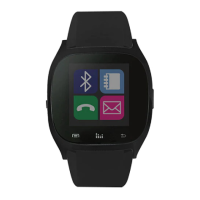

 To Next Page