EasyManua.ls Logo

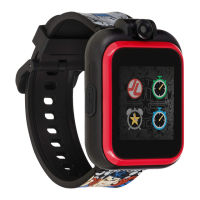
iTOUCH Playzoom - User Manual

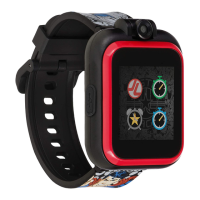
iTOUCH Playzoom
11 pages
Print Icon
To Next Page IconTo Next Page
Loading...
KIDS SMARTWATCH
USER MANUAL
(Version 1)
AGES 4+
Question and Answer IconNeed help?

Do you have a question about the iTOUCH Playzoom and is the answer not in the manual?

Summary

Watch Build and Buttons

Power;Home Button

Button used to turn the smartwatch on and off.

Snap;Record Button

Button to activate the camera and capture photos or videos.

Micro-USB Port

Wearing Your iTouch Playzoom

Getting Started

Battery Recharging

Instructions for charging the smartwatch using a computer and USB cable.

Initial Setup and Time Setting

Activities

Camera Functions

Video Recording

Voice Recorder

Exciting Games

Learning Games

Active Games

Stopwatch Functionality

Alarm Settings

Timer Functionality

Watch Settings

Computer Connectivity

Care and Maintenance

Safety and Skin Care

Summary

Watch Build and Buttons

Power;Home Button

Button used to turn the smartwatch on and off.

Snap;Record Button

Button to activate the camera and capture photos or videos.

Micro-USB Port

Wearing Your iTouch Playzoom

Getting Started

Battery Recharging

Instructions for charging the smartwatch using a computer and USB cable.

Initial Setup and Time Setting

Activities

Camera Functions

Video Recording

Voice Recorder

Exciting Games

Learning Games

Active Games

Stopwatch Functionality

Alarm Settings

Timer Functionality

Watch Settings

Computer Connectivity

Care and Maintenance

Safety and Skin Care

iTOUCH Playzoom Specifications

General IconGeneral
TouchscreenYes
MaterialPlastic
Display TypeLCD
FeaturesGames
ConnectivityBluetooth
BatteryLithium-ion
Age RangeKids

Related product manuals