www.itrackgpstrackers.com 18
To set continuous tracking intervals follow the steps below:
Click 3 dots icon > Send Command > Select ‘Position Interval’ template > edit
command to required time interval in seconds
You can set the local time of the tracker as follows:
Send SMS Command: time+space+zone+password+space+time zone
Example for UK time zone: time zone123456 0
Note: You would need to change the time zone to ‘1’ during British Summer Time
You can view historical location records as follows:
Click 3 dots icon > Show History > Choose parameter
It is possible to view a simulated route repeat when viewing the history. You are able to
speed the timeframe up to 6x.
You can set up geofence zones as follows:
Right click on map > New Zone > Draw Zone > Save Zone
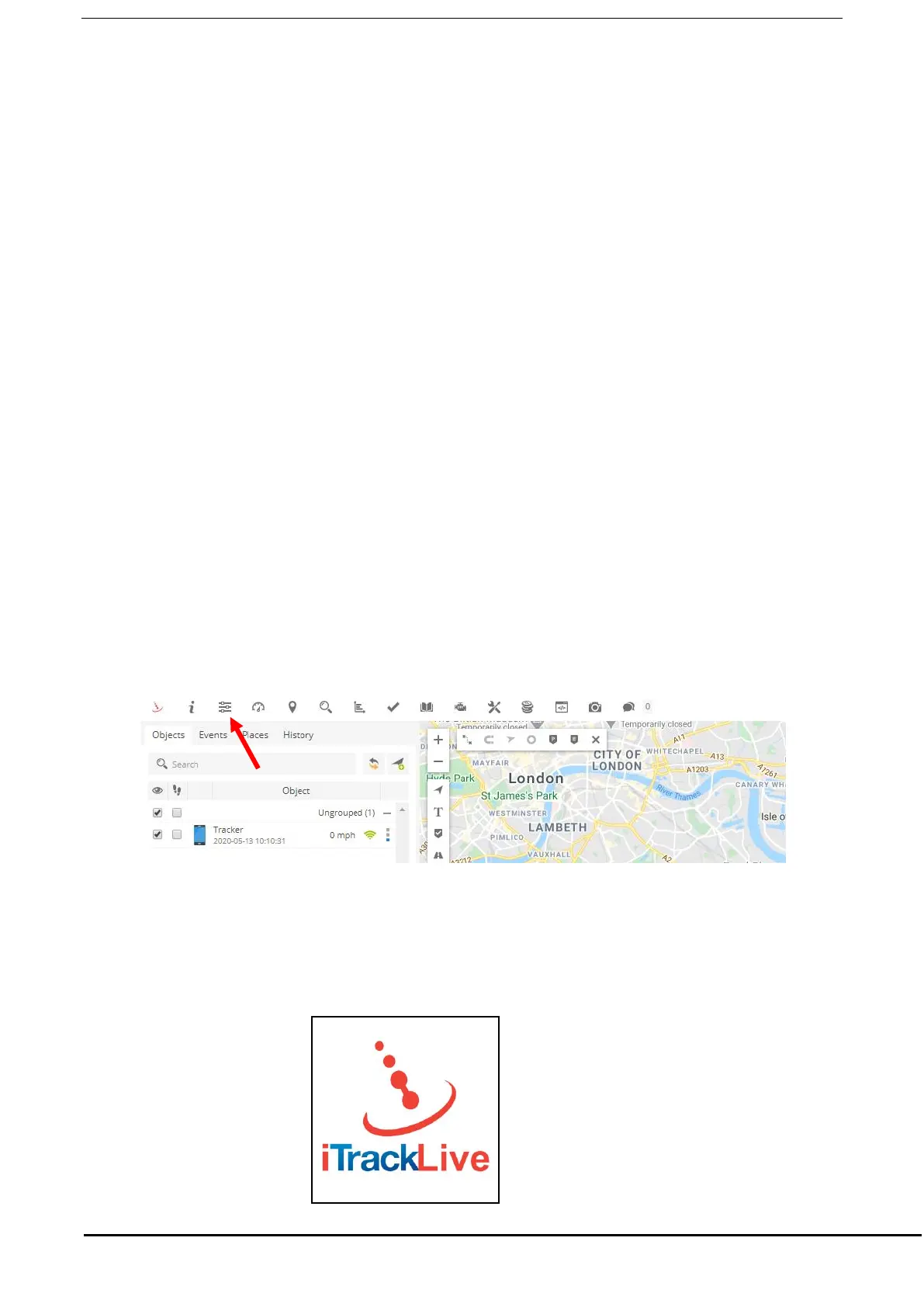
You can change the user settings by clicking the icon shown below:
IOS &Android mobile APP
If you have a smart phone or tablet you can download the iOS/Android App from the App
store. Please search for ‘iTrack Live’ to find the App.
See image below of App icon:


 To Next Page