www.itrackgpstrackers.com 5
Support vehicle models:
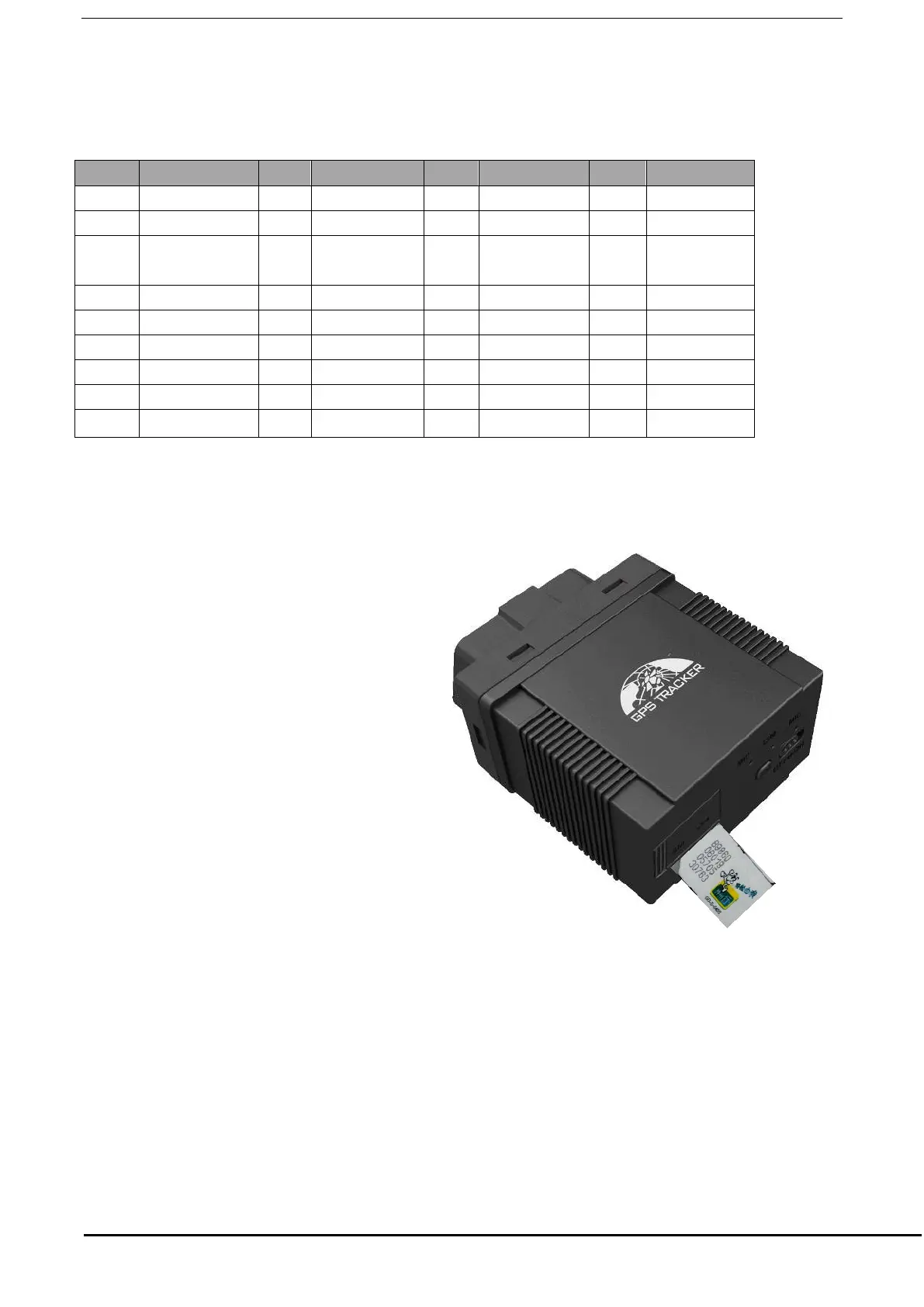
6.2. SIM CARD Installation
SIM Card:
Open the cover with SIM Card symbol and
insert the SIM card as the picture shows (chip
down) and then replace the cover.
Note:
●Make sure there is enough credit on the SIM
card.
●Caller I.D is enabled on both the SIM in the
tracker and also the phone you are going to
use to communicate with the tracker.
6.3. Plug into the car OBD socket
After successfully inserting in to the vehicle OBD port, the device will automatically search for a matching
protocol. Both green and blue lights will flash quickly for 5 times to indicate that the match is successful.


 To Next Page