EasyManua.ls Logo

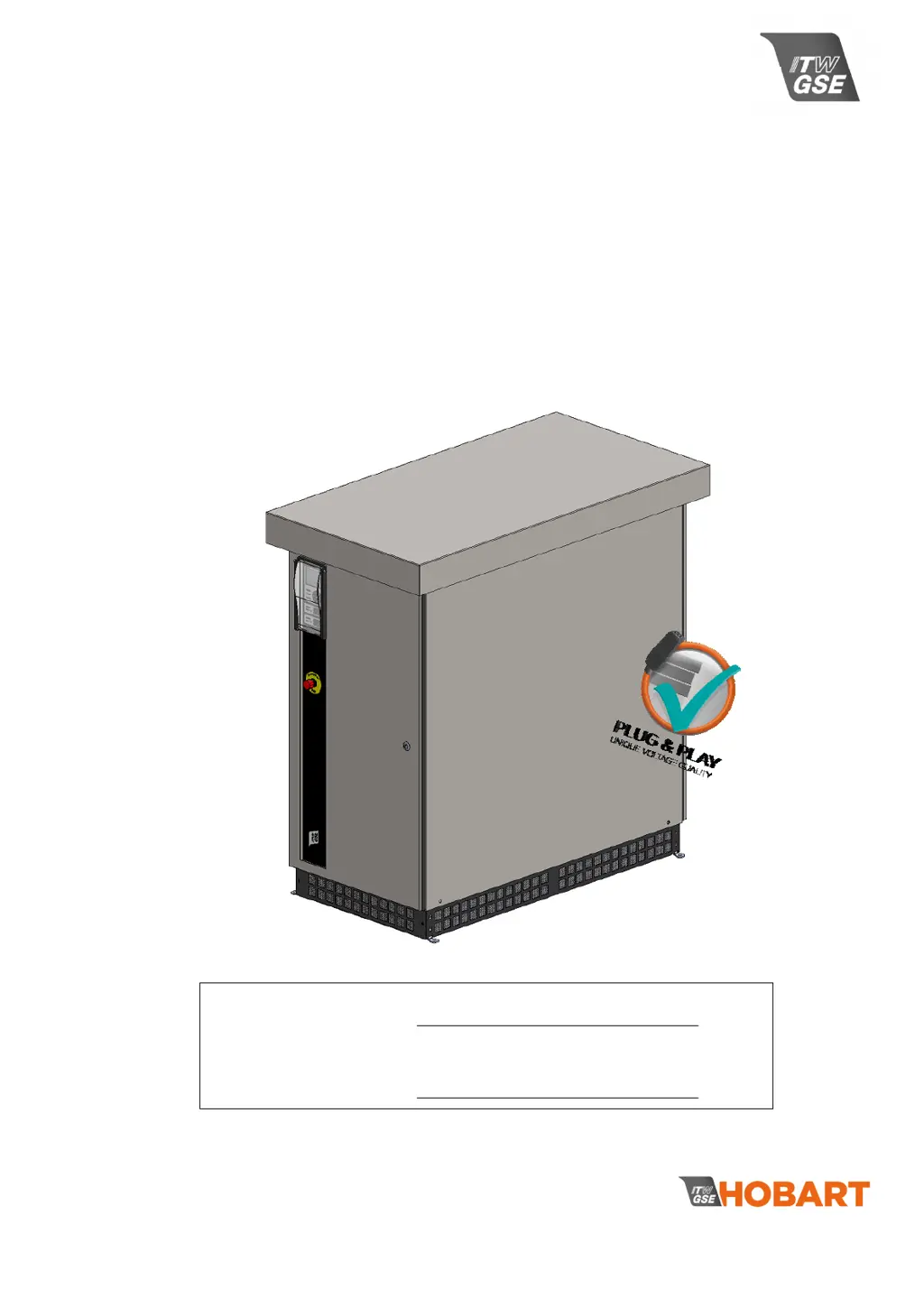
ITW GSE Hobart 2400 Compact - User Manual

ITW GSE Hobart 2400 Compact
77 pages
Print Icon
To Next Page IconTo Next Page
Loading...
ITW GSE HOBART
11001 Us Highway 41 North
Palmetto, FL 34221
U.S.A
T: (toll free in US): 800-899-1841
T (International): + 1 941-721-1000
E: technicalsupport@itwgse.us
Serial no.
Type 3GW -200/ -
it’s all about connections
Manual
Hobart 2400 Compact
120 / 140 / 180 kVA
400 Hz Ground Power Unit
OM2252
Rev 0 December 15 2016

Table of Contents

Questions and Answers

Summary

Declaration of Conformity

EU Declaration of Conformity

Formal statement of product compliance with EU directives.

Safety Instructions

Electric Shock

Precautions to prevent electrical hazards and ensure safety.

Moving Parts

Safety advice regarding moving components like fans.

Hot Parts

Warnings about hot components and cooling periods.

General Description

Basic Principle

Explanation of the unit's fundamental operational concept.

Built-in features; protections

Overview of integrated safety features and protective measures.

Aircraft Connector Insertion

Feature verifying aircraft connector engagement.

Neutral Voltage Supervision (NVS)

Monitoring of voltage between neutral and earth.

Earth Leakage Supervision (ELS)

Monitoring residual current for safety.

Transport and Installation

Storage Before Installation

Guidelines for optimal storage conditions before installation.

Transport

Instructions and diagrams for moving the unit safely.

Installation and fastening instructions

Details on unit placement and securing methods.

Connection of Cables

Guidance on connecting primary power and output cables.

Utility Input

Information on connecting the main power supply and fuses.

400 Hz Output

Details on connecting the 400 Hz output and neutral configuration.

400 Hz Interlock

Explanation of the safety interlock system for aircraft connection.

Control Interface (Remote I;O Terminals)

How to connect external control signals and devices.

TCP;IP On-board Interface

Information on network communication for monitoring.

Technical Specifications

Input

Electrical input parameters including voltage, current, and frequency.

Output

Electrical output parameters like voltage, power factor, and regulation.

Protections

List of internal protection mechanisms against faults.

Physical

Dimensions, weight, and mounting options for the unit.

Environmental

Operating and storage conditions, humidity, and noise levels.

Operators Instructions

Using the Display;Keypad

How to interact with the control panel interface.

Operating the unit

Step-by-step guide for starting and running the unit.

Basic Menu

Navigation and understanding of the main menu icons.

Setup - Menu structure

Guide to accessing and modifying setup parameters.

Black Box - Menu structure

How to access recorded error data and logs.

Default Factory Settings

List of default configurations for various parameters.

Set-up Lock; Output Mode; Compensation

Preventing changes of set-up parameters

How to lock setup parameters to prevent unauthorized changes.

Output Voltage

Procedure for adjusting the output voltage.

Plug & Play Cable compensation

Automated cable compensation for voltage consistency.

Manual Compensation

Manual adjustment of voltage based on load and cable conditions.

Output Mode

Selection between individual or simultaneous output operation.

Fan Control

Settings for managing the unit's cooling fan speed.

EF Interlock

Safety feature for aircraft interlock signal management.

Neutral Voltage Supervision

Monitoring neutral-to-ground voltage for safety.

Earth Leakage Level

Setting the threshold for earth leakage current detection.

Real Time Clock Setup

Procedure for setting the unit's internal clock.

Ethernet Configuration

Network settings for TCP/IP communication.

Language

Selecting the display language for the unit.

Service, Maintenance, Overhaul

Recommended Maintenance Schedule

Routine checks and tasks for maintaining the unit.

Battery back-up & replacement

Information on the control board battery and replacement procedure.

Trouble Shooting & Repair

Fault Guidance

Troubleshooting steps and error code explanations for fault resolution.

Illustrated Parts List

Front View Components

Identification of major components visible from the front.

Rear View Components

Identification of major components visible from the rear.

Side View Components

Identification of major components visible from the side.

Options

Dry Contacts (Diagram 478850)

Optional relays for external indication or BMS connection.

Base module (Drawing 278430)

Optional module to extend unit dimensions and weight.

Single Output (Diagram 478850)

Option for single output operation with synchronized contactors.

Door Interlock (Diagram 478850)

Safety feature to shut down unit if doors are opened.

Anti-Condensation Heater (Diagram 478850)

Optional heating elements to prevent dew formation.

RS485 Interface (Diagram 478850)

Option for RS485 communication and multi-point connections.

Military Interlock (Diagram 478850)

Interlock system for military aircraft connectivity.

Remote Control Box

External control units for operation away from the GPU.

Auto Calibration Plug

Tool required for Plug & Play setup.

ITW GSE Hobart 2400 Compact Specifications

General IconGeneral
BrandITW GSE
ModelHobart 2400 Compact
CategoryPortable Generator
LanguageEnglish

Related product manuals