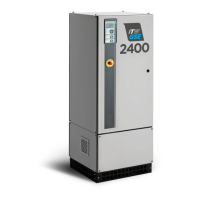
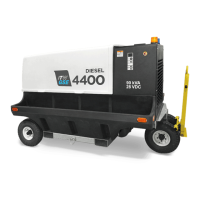
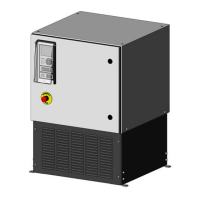
What to do if emergency stop is activated on ITW GSE Hobart 2400?
- RRyan KempAug 14, 2025
If the emergency stop is activated on your ITW GSE Portable Generator, release the emergency stop and then press start to reset the system.
What to do if emergency stop is activated on ITW GSE Hobart 2400?
If the emergency stop is activated on your ITW GSE Portable Generator, release the emergency stop and then press start to reset the system.
How to fix F1 or F2 fuse blown on ITW GSE Portable Generator?
If the F1 or F2 fuse is blown in your ITW GSE Portable Generator, replace the fuse F1 and then press start to reset.
How to fix wrong software version on ITW GSE Hobart 2400?
To resolve the 'WRONG SOFTWARE VERSION' error on your ITW GSE Portable Generator, install the correct software version.
What to do if input voltage is too low on ITW GSE Hobart 2400 Portable Generator?
If the input voltage is too low (Voltage < 340V – 500ms) on your ITW GSE Portable Generator, press start to reset the system.
What to do if control voltage is low on ITW GSE Hobart 2400?
If the control voltage is low (< 20V) while the ITW GSE Portable Generator is running, press start to reset the system.
What to do if output voltage is too high on ITW GSE Hobart 2400 Portable Generator?
If the output voltage is too high (Voltage > 32V - 4s) on your ITW GSE Portable Generator, press start to reset.
How to troubleshoot cable coil / VFD error on ITW GSE Hobart 2400?
If you encounter a cable coil / VFD error with your ITW GSE Portable Generator, check the cable coil, VFD, and motor.
How to fix logging unsuccessful error on ITW GSE Portable Generator?
If logging is unsuccessful on your ITW GSE Portable Generator, press start to reset.
Critical safety measures to prevent injury from electrical hazards and moving components.
Precautions for handling hot components and general safety advisories.
Explains the fundamental operation and conversion process of the Hobart 2400 Power Coil.
Details the unit's integrated protective systems against various fault conditions.
Guidelines for unit storage and operational environmental requirements.
Procedures for safely moving and physically installing the Hobart 2400 Power Coil.
Instructions for connecting cables and requirements for mains power input.
Details on output configuration, safety interlock, and remote I/O connections.
Information on the unit's TCP/IP port for network communication and monitoring.
Description of the display, LEDs, and keypad layout on the operator panel.
Instructions for controlling the unit using the aircraft connector's buttons.
Step-by-step guide for operating the ground power unit.
Introduction to the icon-based menu system for unit control and navigation.
Detailed breakdown of menu structure for parameters, logs, and software functions.
Lists the default configuration parameters for the unit.
Method to lock or block access to setup parameters to prevent modification.
Adjusting output voltage, Plug & Play, and Manual compensation.
Settings for fan speed control and EF interlock safety feature.
Settings for aircraft interface, GPU enable, door switch, and supervision.
Configuration for time, Ethernet, Modbus, and units of measure.
Settings for customer ID, cable replacement mode, and display language.
A planned schedule for routine checks and maintenance tasks on the unit.
Procedure to bypass limit switches for cable inspection or replacement.
Information on the control board battery and its replacement procedure.
Lists error codes, display text, help text, and first corrective actions.
Description and use of the remote control box accessory.
Explanation of the NCR option for detecting broken neutral conductors.
Details RS485 interface and anti-condensation heater options.
Explains door interlock switch and auto calibration plug options.
| Brand | ITW GSE |
|---|---|
| Model | Hobart 2400 |
| Category | Portable Generator |
| Language | English |
Loading...