18
5. Operation and configuration
5.1 Introduction to the operation
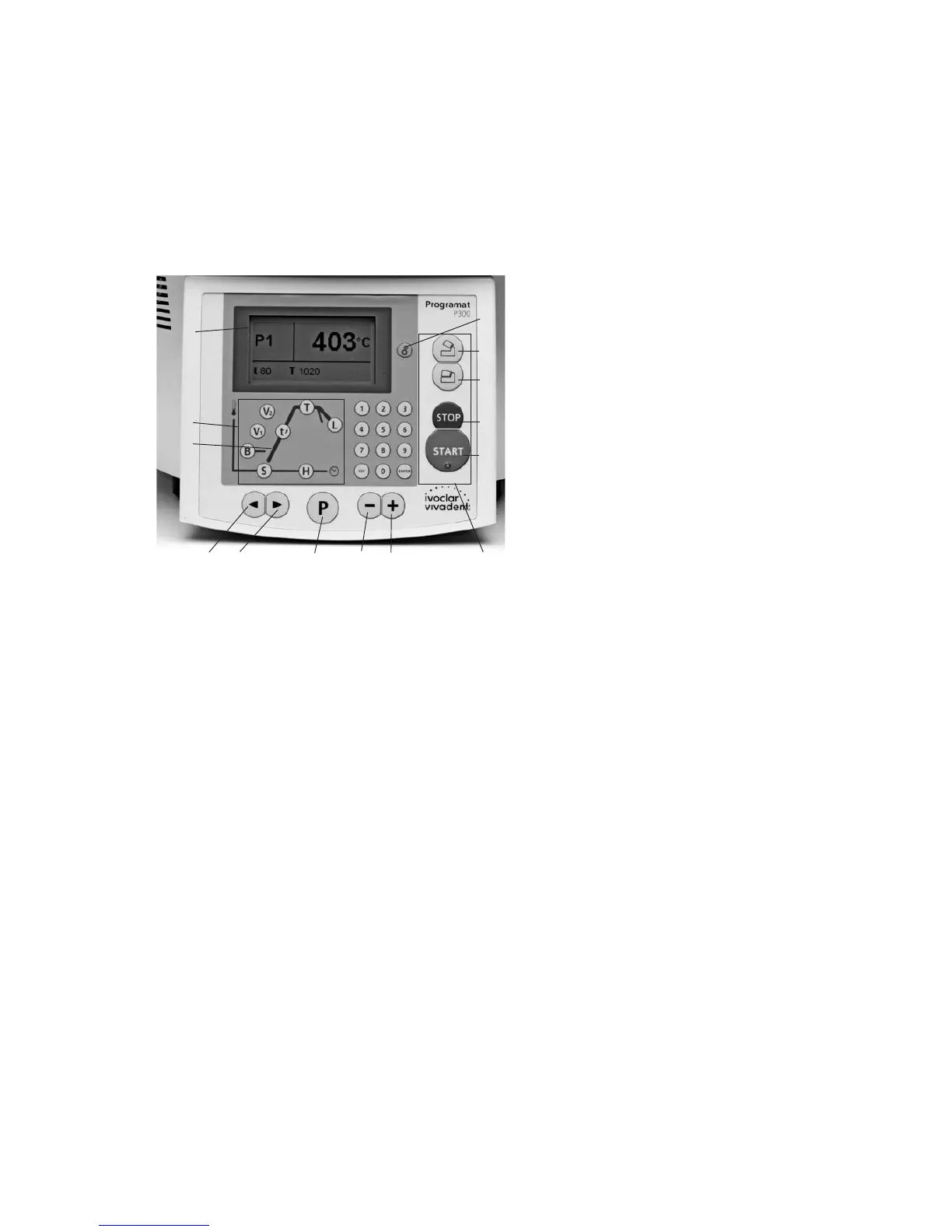
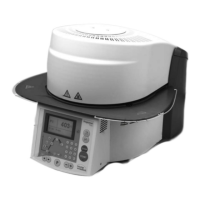
The Programat P300 is equipped with a graphical display (A) with
backlighting. Moreover, the keypad features a parameter firing curve
(B) with the parameter keys (C), where the parameters can be
selected. By means of the enter keys and the command keys (D), the
furnace may be programmed and controlled.
5.2 Explanation of key functions
–T = Holding temperature (84)
Indicates the holding temperature (actual firing temperature).
–H= Holding time (85)
Indicates the holding time (actual firing time).
–S= Closing time (82)
Indicates the closing time of the furnace head (pre-drying time).
–B= Stand-by temperature (81)
Indicates the stand-by temperature.
–tÀ = Temperature increase (83)
Indicates the temperature increase per minute for heating up.
–V1Vacuum on temperature (86)
Indicates the temperature level at which the vacuum is switched
on.
–V2Vacuum off temperature (87)
Indicates the temperature level at which the vacuum is switched
off.
If this temperature equals the holding temperature T, the vacuum
is maintained during the entire holding time.
Specific case: If the temperature V2 is exactly 1 °C (or 1 °F) higher
than the holding temperature T during activated long-term
cooling, the vacuum is maintained during the entire long-term
cooling (e.g. recommended for the cleaning program).
–L= Long-term cooling temperature (88)
Indicates the temperature level at which the furnace head starts to
open after the end of the holding time and free or controlled (tL)
cooling.
–tL= Controlled cooling temperature gradient (°C or °F / min)
– “Cogwheel” key
Configuration and information (78)
After pressing the settings key (2 cogwheels), a selection (informa-
tion / settings) is displayed. Subsequently, the left key can be used
to navigate through the information menu. The right key can be
used to navigate between the settings and auxiliary programs.
– Cursor keys (79, 80)
The current cursor position is indicated by means of a fix (non-
blinking) frame around the value.
– Enter keys (76, 77, 92)
The values can be entered by using the + / – keys or the numeric
keys.
Each value entered by means of the + or – key will be immediately
accepted (as long as the value ranges are observed) without
separately confirming the entered value (pressing the key once will
adjust the value by + or – 1). An active entry by means of the
numeric keys will blink until the value has been confirmed or the
process aborted.
Each entry via the numeric keys can be confirmed with the Enter
key. However, the Program key, the START key or the parameter
keys can be used to confirm an entry by means of the numeric
keys. Therefore, a program can be edited considerably faster (less
keystrokes required).
If an invalid entry is made (outside the current value range), the
invalid entry continues to blink after confirmation.
As an error message (Entry error: entry outside the value range) an
exclamation mark will blink in the bottom line until a new value is
entered and the entry is either confirmed or the process aborted
with the ESC key. If the process is aborted with ESC, the old valid
value will reappear. Please refer to the respective parameter details
for the value range.
– START key (73)
The program is started by pressing this key.
– STOP key (75)
Pressing this key once (program paused)
Pressing this key twice (program will be interrupted and vacuum
flooded).
– Open furnace head key (90)
The furnace head is opened (not possible during a program in
progress).
– Close furnace head key (91)
The furnace head is closed (not possible during a program in
progress).
– P = Program and parameter key (70) with double function
– Indicates the program number
– In addition, it is possible to switch from the stand-by mode
(or firing curve display) to the parameter list.
79
A)
C)
B)
d)
80
70
77
76
73
75
91
90
78


 To Next Page