24
6.3 Firing using an individual program
Step 1:
Select a free program.
Step 2:
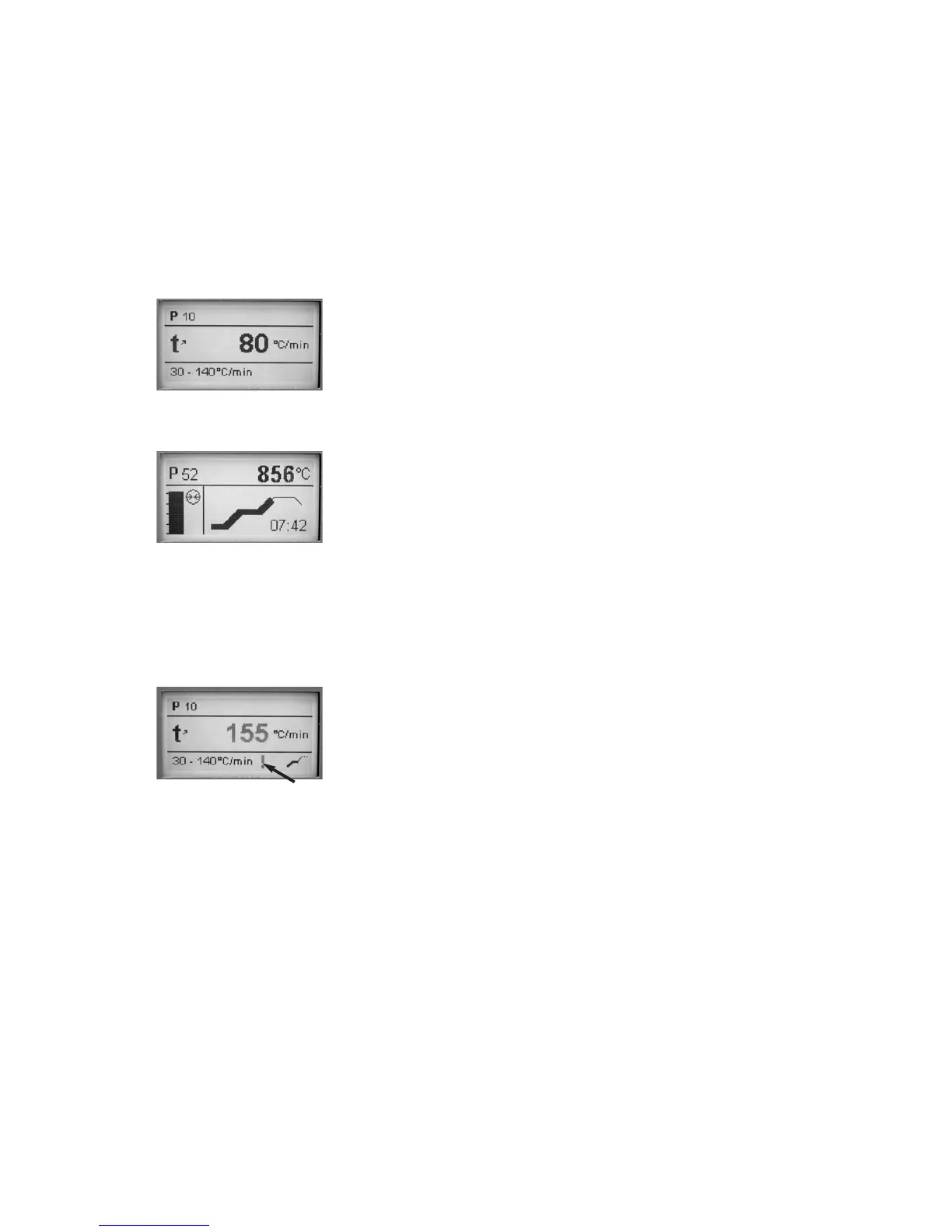
Press the desired parameter (e.g. temperature increase). The input
mask appears. In the lower field, you will find information about the
acceptable temperature range (min. and max.). This will facilitate the
entry and prevents input errors.
Step 3:
Press the START key (73) to start the program. The process is
indicated in the firing curve display.
6.4 Further possibilities and special features of the
furnace
6.4.1 Illogical values or incorrect entry:
If an illogical value is entered by means of the numeric keys
(outside the current value range), the invalid entry still blinks after
confirmation.
As error message (entry error:
entry outside the value range),
an exclamation mark blinks in
the bottom line until the next
value is entered and successfully
confirmed or the process is
aborted with ESC. The old, valid
value reappears. Please refer to the parameter details for the value
range.
6.4.2 Program write protection
If all programs are write-protected, a closed lock
•
°
appears in the
stand-by mode, parameter list, and detailed parameter screen.
6.4.3 Stopping the running program
Press the STOP key once to pause a running program. The green LED
in the START key blinks. Press the STOP key twice to completely stop
the program or press START to continue.
6.4.4 Changing the parameters while the program is running
All parameters of the program, which have not yet been executed,
can be changed while the program is stopped (green LED blinks).
6.4.5 Quick opening of the furnace head
By switching the symbol “standard opening of the furnace head”
for the currently loaded program, the user may activate a "quick
opening of the furnace head” at the end of the program.


 To Next Page