5
Overview of buttons and symbols
HMC300 – 6 720 813 192 (2014/10)
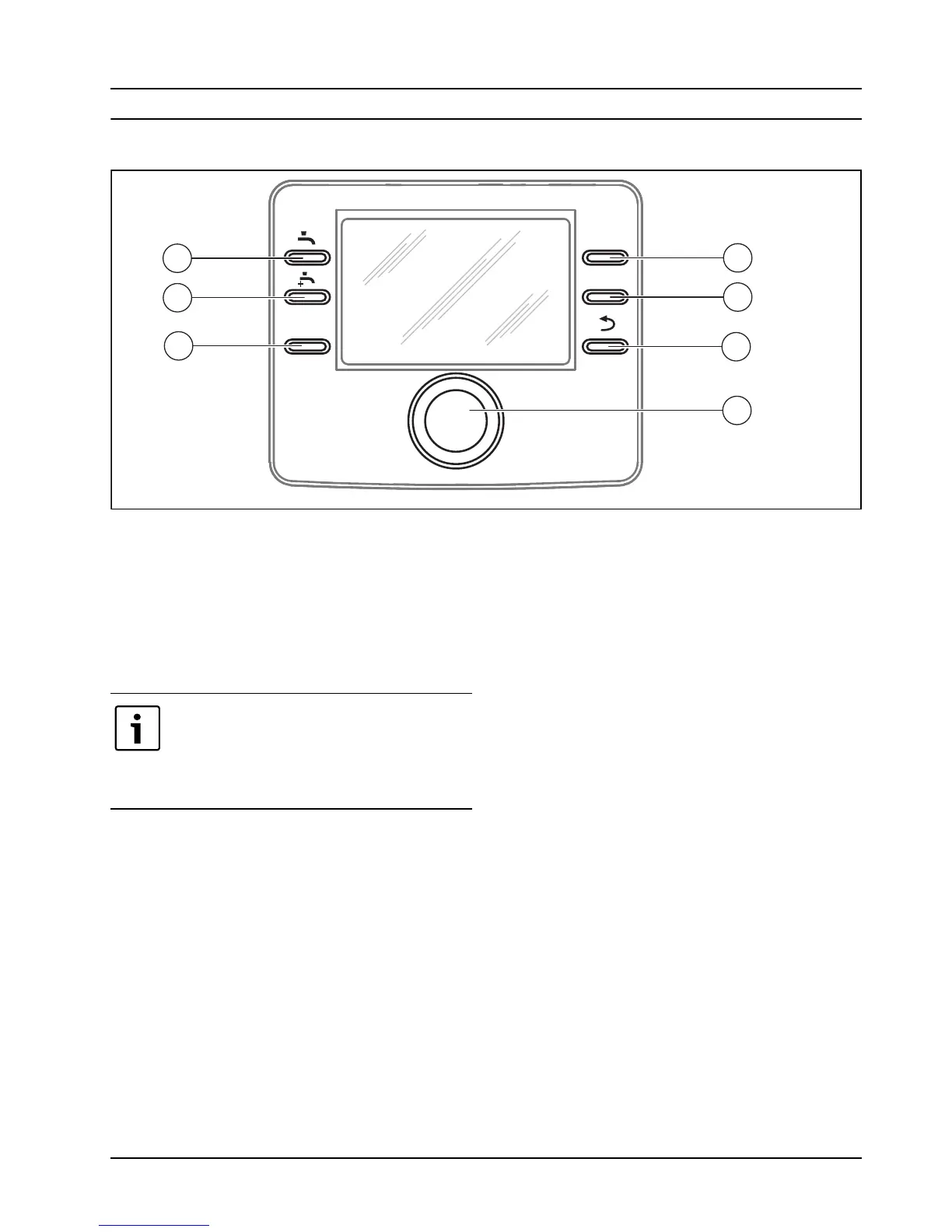
3 Overview of buttons and symbols
Fig. 1 Buttons
[1] Favourites button
[2] Extra hot water button
[3] Hot water button
[4] Menu button
[5] Info button
[6] Return button
[7] Menu dial
fav
info
menu
6 720 810 300-01.1O
5
6
7
4
2
3
1
If the display is off it goes on when a button is
used, and the respective function is carried
out. A short tap on the menu dial will only light
up the display. The display goes off
automatically if no buttons are used.



 To Next Page
 Loading...