7
playback
pairing the bluetooth device
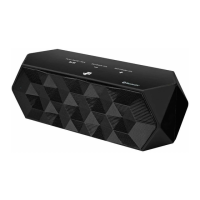
To connect your Bluetooth device to the unit, you need to pair the device to the unit.
Pairing needs to be done only once. To set up the Bluetooth device please follow the below
steps.
1. Turn on the unit. The white LED will blink once every second when it is turned on for
the rst time, or when it is in pairing mode, or when it is searching for a Bluetooth
device.
2. Turn on your device’s Bluetooth function and look for “BT Speaker” in the pairing
device list.
3. If prompted, enter the default password, “0000”, otherwise click “OK” to conrm
acceptance of the unit. The white LED will shine steadily.
If you move your media source device out of operational range, the Bluetooth
connection will be lost.
• The operational range between this unit and a Bluetooth device is approximately
10 metres.
• Before you connect a Bluetooth device to this unit, familiarize yourself with the
Bluetooth capabilities of the device.
• Compatibility with all Bluetooth devices is not guaranteed.
• Any obstacle between this unit and a Bluetooth device can reduce the
operational range.
• Keep this unit away from any other electronic device that may cause interference.
When you rst start playback of a track or video in your Bluetooth device, the
unit Control’s LED will blink once every second for a short while, then it will
illuminate steadily.
iBT4512_IB_RC_120928_Annie.indd 7 28/09/2012 6:04 PM


 To Next Page