9
hints and tips
If you experience problems during the set up of your system, please rst check the
following conditions:
1. Make sure all the connections between the speakers, the unit and the Bluetooth
device are correct.
2. Make sure that the mains power supply is switched on.
3. If connected to a non-standard games console or audio device, please consult the
manual of those devices for connection.
4. Check that your device volume level is sucient.
5. Ensure the device can be used with the unit to playback music.
6. If audio quality is poor after connection, make sure the device is close enough to the
unit, and that there are no obstacles in the way.
7. If the device cannot connect with unit, check the following are correct:
• The device supports Advanced Audio Distribution Prole (AADP).
• The device’s Bluetooth function is turned on.
• The unit is in pairing mode. If it is not, turn the unit o then on again.
• The unit is not connected to another Bluetooth enable device. If it is, turn the unit
o and on and try again.
If any functional abnormality is encountered, unplug the unit from the mains
socket and reconnect it again.
specications
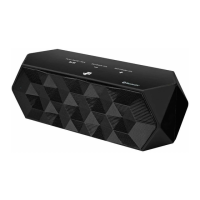
Model iBT4512
Power Supply Adapter
Input AC 100 - 240V ~ 50/60Hz
Output DC 15V
2.0A
Main Unit
Input DC 15V
2.0A
Output Power 2 x 10W +25W (RMS)
Standby Power Consumption ≤0.5W
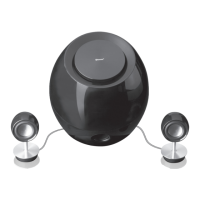
Dimensions
Main Unit: Ф175 x 198 mm
Speaker: Ф40 x 95 mm
Features and specications are subject to change without prior notice.
iBT4512_IB_RC_120928_Annie.indd 9 28/09/2012 6:04 PM


 To Next Page