12
NFC operation
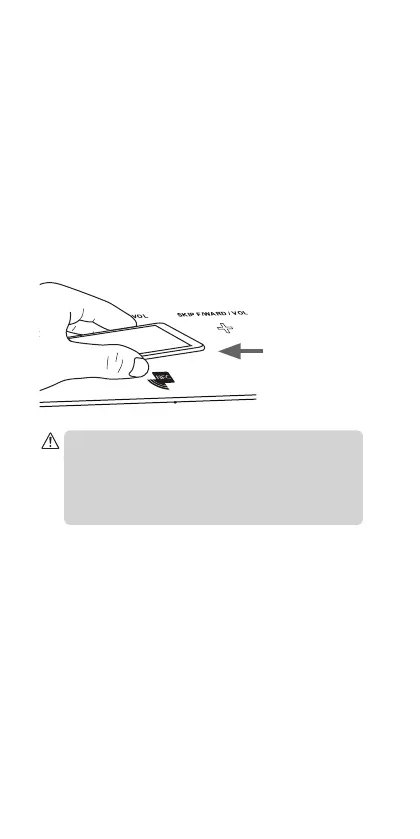
NFC (Near Field Communication) is a one touch way of
pairing your NFC device via Bluetooth to your speaker.
1. To enable NFC function, connect your device with
the unit via Bluetooth.
2. Place the NFC sensor area on the device close to
the unit’s NFC sensor area (it will work best within
10 mm).
3. If the unit is already connect to the Bluetooth
device, once can take over the connection by NFC
touch.
Distance
between device
sensor and
sensor area on
unit should be
less than 10 mm
If you are trying to pair your speaker to a mobile device
and your mobile device shows the message ‘Failed to
connect and password is incorrect’, then switch the unit
o at the POWER ON/OFF switch to o position, wait 1
minute then switch the unit back on. Try pairing again
using Bluetooth or NFC mode.
IBTB_N14_IB_140618.indd 12 18/6/14 4:37 PM


 To Next Page