EasyManua.ls Logo

Ixon IXrouter3 - LTE additional specifications; Wi-Fi additional specifications

Ixon IXrouter3
15 pages
Print Icon
To Next Page IconTo Next Page
To Previous Page IconTo Previous Page
Loading...
9
Operation
Configuring the IXrouter3
To configure your IXrouter, log in to your IXplatform account and navigate to the Tools menu. There
you can generate an IXrouter configuration by following a number of simple steps. In the end, a
configuration file is created, which must be copied to a USB memory stick. After supplying power to
the IXrouter, insert this USB in the USB port. The IXrouter will register itself to the IXON IXplatform
and set up a secure VPN connection.

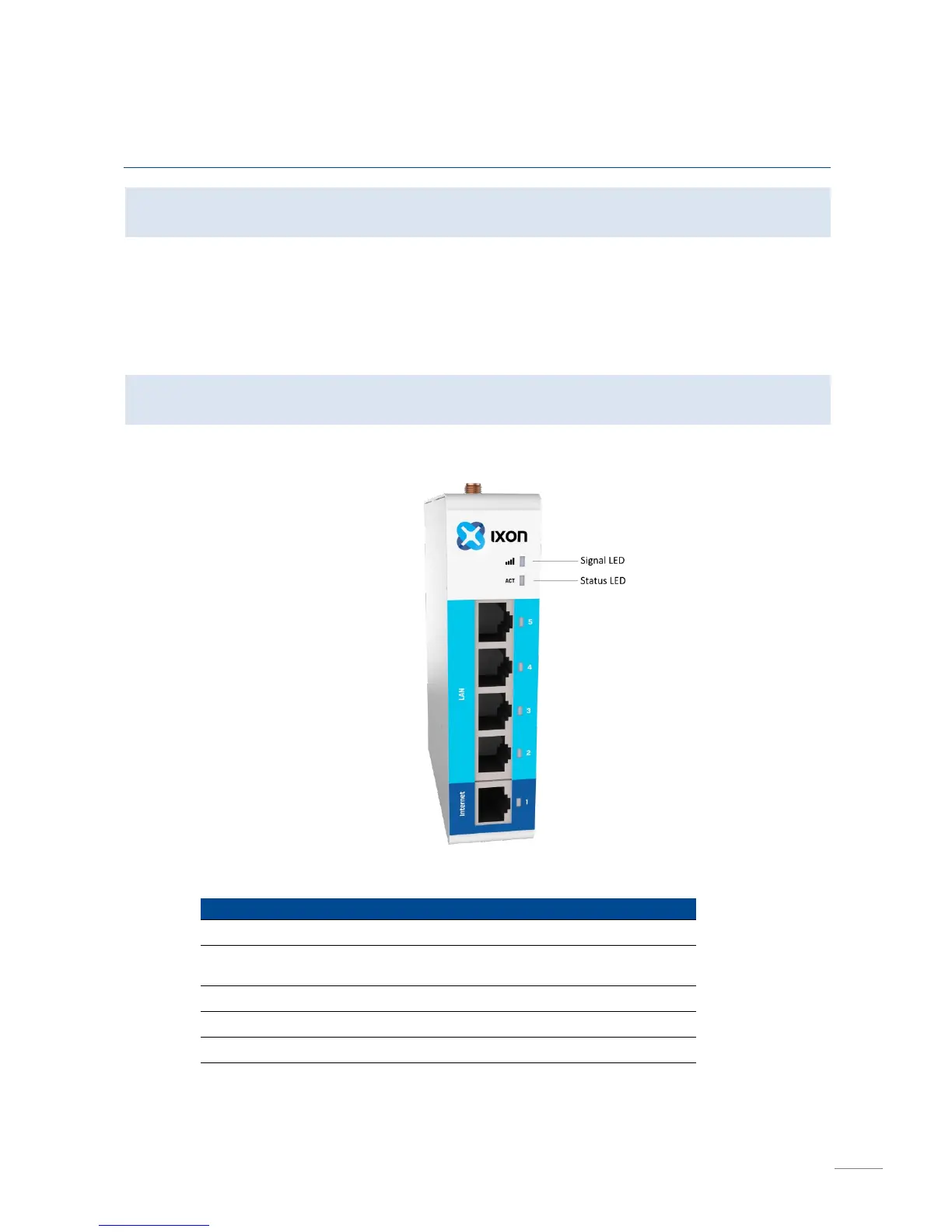
LED Status Indicators
The IXrouter has two LED lights, used for determining the IXrouter3 status.
Signal LED
Color
Mode
Status
Red
Blinking continuously
No reception
Red
Blinking 2 short pulses
PIN invalid, or PUK
required
Red
Constant
Low reception
Purple
Constant
Medium reception
Blue
Constant
Good reception
Blue
Blinking continuously
Initializing

Other manuals for Ixon IXrouter3

Related product manuals