Need help?
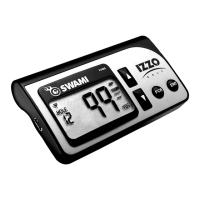
Do you have a question about the Izzo Golf SWAMI 1500 and is the answer not in the manual?
Lists the items included in the SWAMI 1500 package.
Details the operating system, USB port, internet, RAM, and disk space.
Explains how to charge the SWAMI, its duration, and importance of full charge.
Describes what to do if the unit displays "CHG" after disconnection.
Download and install USB drivers and the SWAMI Map Manager program.
Connect SWAMI, undergo software update, complete registration and checkout.
Search and load desired golf courses onto the SWAMI unit.
Describes the primary and secondary functions of the ENT, Up/Down Arrows, and FCB buttons.
Explains the meaning of various icons displayed on the SWAMI screen.
Describes the function of the Mini USB port for charging and connection.
Guide to selecting and downloading golf courses via the internet and SWAMI Map Manager.
How to add, view, and remove courses from 'My Course List' and the SWAMI.
Process of updating the SWAMI unit with the selected courses from the Map Manager.
Accessing and managing the personal course list via the IZZO Golf website.
Using the navigation tools within the SWAMI Map Manager interface.
Process for requesting a course map that is not currently in the database.
Guide to requesting new golf courses and the process for submission.
Steps to power on the SWAMI and interpret the initial display for hole #1 yardage.
Navigating holes, checking distances (Front, Center, Back) with button presses.
Instructions on how to properly power down the SWAMI unit.
How SWAMI selects courses and how to manually switch if incorrect.
Solutions for SWAMI freezing during connection or acting strangely during play.
Explains yardage variations, consistent errors, and potential causes like outdated maps.
Definitions and meanings of common error messages (E1-E7) displayed by the SWAMI.
Recommendations for optimal SWAMI charging via USB cable and computer settings.
Instructions to unlock or reset a frozen or unresponsive SWAMI unit.
Explains common error messages like E1, E2, E3 on the SWAMI.
Tips for effectively searching for golf courses within the SWAMI Map Manager software.
 General
| Water Resistance | Yes |
|---|---|
| Hazards | Yes |
| Scorekeeping | Yes |
| Display Type | Color |
| Touchscreen | No |
| Bluetooth | No |
| Wi-Fi | No |
| Preloaded Courses | Over 38, 000 |
| Accuracy | 1 yard |

 To Next Page