Need help?
Do you have a question about the Izzo Golf SWAMI LITE Golf GPS and is the answer not in the manual?
Details the technical specifications of the SWAMI LITE Golf GPS device.
Describes how to power the device on and off using the power button.
Explains how to use the OK button for selections and navigation.
Details the use of the UP button for scrolling and changing holes.
Details the use of the DOWN button for scrolling and changing holes.
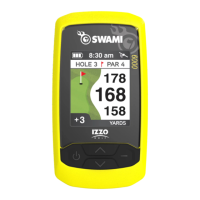
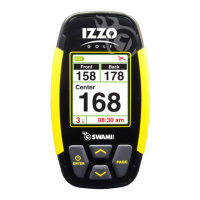
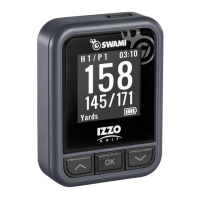
Explains the display elements and information shown during Play Mode.
Details the display elements and information shown in Hazard Mode.
Instructions for entering and navigating the Play Mode of the golf GPS device.
Explains how the device automatically switches to the next hole.
Describes how to choose preferred distance display settings for PlayGolf Mode.
Instructions for setting the device's time, either manually or via satellite connection.
How to select between 12-hour and 24-hour clock formats.
Instructions for viewing saved score data.
How to change the unit of measurement between Yards and Meters.
Guide to selecting the preferred language for the device interface.
Details on how to adjust the backlight duration.
Instructions for switching between different display types.
How to enable or disable Daylight Savings Time (DST) on the device.
Instructions for enabling or disabling the Scorecard feature.
Instructions for enabling or disabling the Shot Distance feature.
Instructions for enabling or disabling the Hazards display.
Instructions on how to enter and exit the device's DEMO Mode.
Information on how to use the magnetic mount for attaching the device to a cart.
Outlines the product's warranty period and conditions for repair or replacement.
Provides information regarding the GPS system's development and potential modifications.
Key safety and operational guidelines for using the device correctly.

 To Next Page
 General