3. On the Golf Course
3.1 Course/Mode Selection
1. Hold [Power] button for 3 seconds to power the device on.
2. Use [Up/Down] buttons to scroll to Start Round. Press [OK] button to select.
3. Device will begin searching for satellite x. Once satellite connection is established the
5 nearest golf courses will be listed.
4. Use [Up/Down] buttons to scroll to desired golf course then press [OK] button to select.
5. Use [Up/Down] buttons to select mode, then press [OK] button to conrm:
• Game Tracker Mode: GPS mode with Game Tracking data.
• GPS Mode: Standard GPS distances without Game Tracking data.
10
Using Swami on the Course
3.2 Game Tracker Mode
Note: To ensure Game Tracking accuracy, we recommend playing 1-3 rounds using GT
Mode to become familiar with the Game Tracking process. Then delete those rounds and
start tracking your game once you are accustomed to the process.
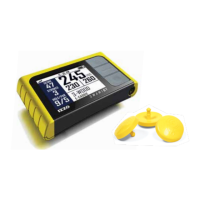
1. Hold Club Tag near Sensor while on tee box of 1st hole until the device provides feedback.
(depending on which Feedback option is selected in Settings See section 4.6 on page 15).
2. Hit shot and travel to ball.
3. Hold Club Tag for upcoming shot near Sensor before hitting each shot, until reaching green.


 To Next Page