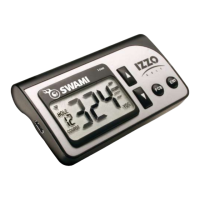
4. Hold Club Tag near Sensor before each putt.
5. Travel to next tee box.
6. Repeat steps 1-5 for remainder of round.
11
Using Swami on the Course
3.3 Advancing Holes
1. Once a putt is registered, or Add Putt is selected in the Play Menu, the device will
advance to the next hole after registering your club for the next tee shot.
2. If you need to see the yardage on your tee shot prior to selecting a club (such as on
a par 3 tee box), simply press the [Up] button once to view the yardage, then select
and register your club.
3. In the event no putts are registered (you chip in, or you are ‘given’ a putt), Pressing the
[Up] button and then the [OK] button will also advance the device to the next hole.
4. In GPS ONLY Mode, in most cases, the device will auto-advance to the next hole while
traveling from the green to the next tee box. If the unit does not auto advance (in GPS
ONLY mode) then press the [Up] button.
3.4 E-Caddie
1. After playing three rounds in Game Tracker Mode, the E-Caddie will become available and
make club recomendations based on your previous club distance data stored over time.
2. Club recomendations will be made if you are 50-250 yards away from the green.
3. If, after three rounds logged, a shot does not travel at least 75% of your avg. distance for
that particular club, it will not be used in calculating your avg. distance for that club.


 To Next Page