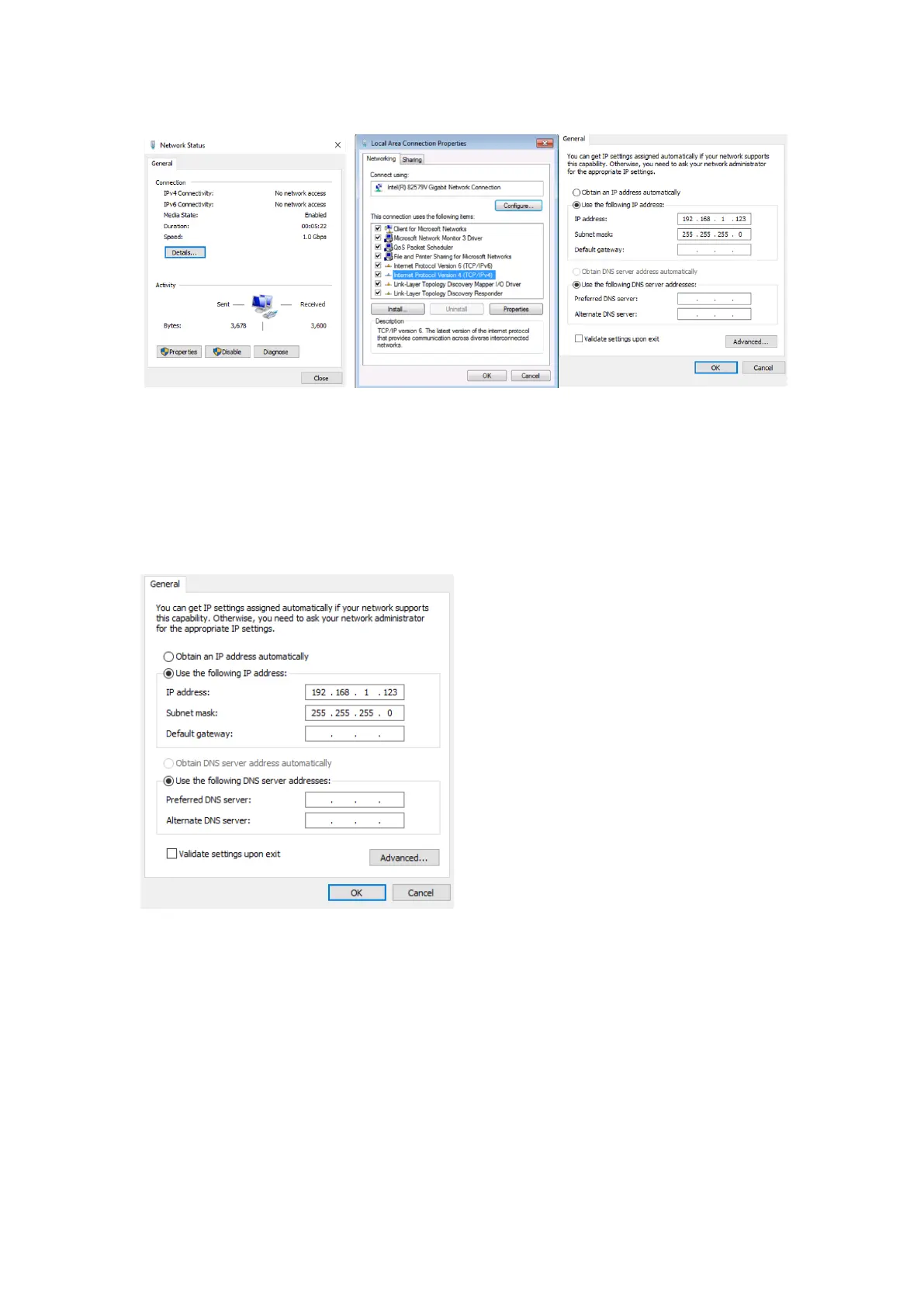
2). Choose to use Static IP, with the IP address set to 196.168.1.x (x ranges from 0 to
254, but cannot be consistent with the device's IP address [192.168.1.168]).
3). Subnet mask set to 255.255.255.0
4). Gateway set to 192.168.1.1
5) . Enter the encoder's default IP address (192.168.1.168) in a web browser to access
the encoder’s configuration web GUI.
Way to enter the device login interface:
(1) If the encoder’s IP address has been customized, enter the encoder’s customized IP
address in a web browser to access the encoder’s configuration web GUI.


 To Next Page