USB 3.0 MULTI-ADAPTER USER MANUAL
15
FUNCTIONS INSTRUCTIONS: WINDOWS 7
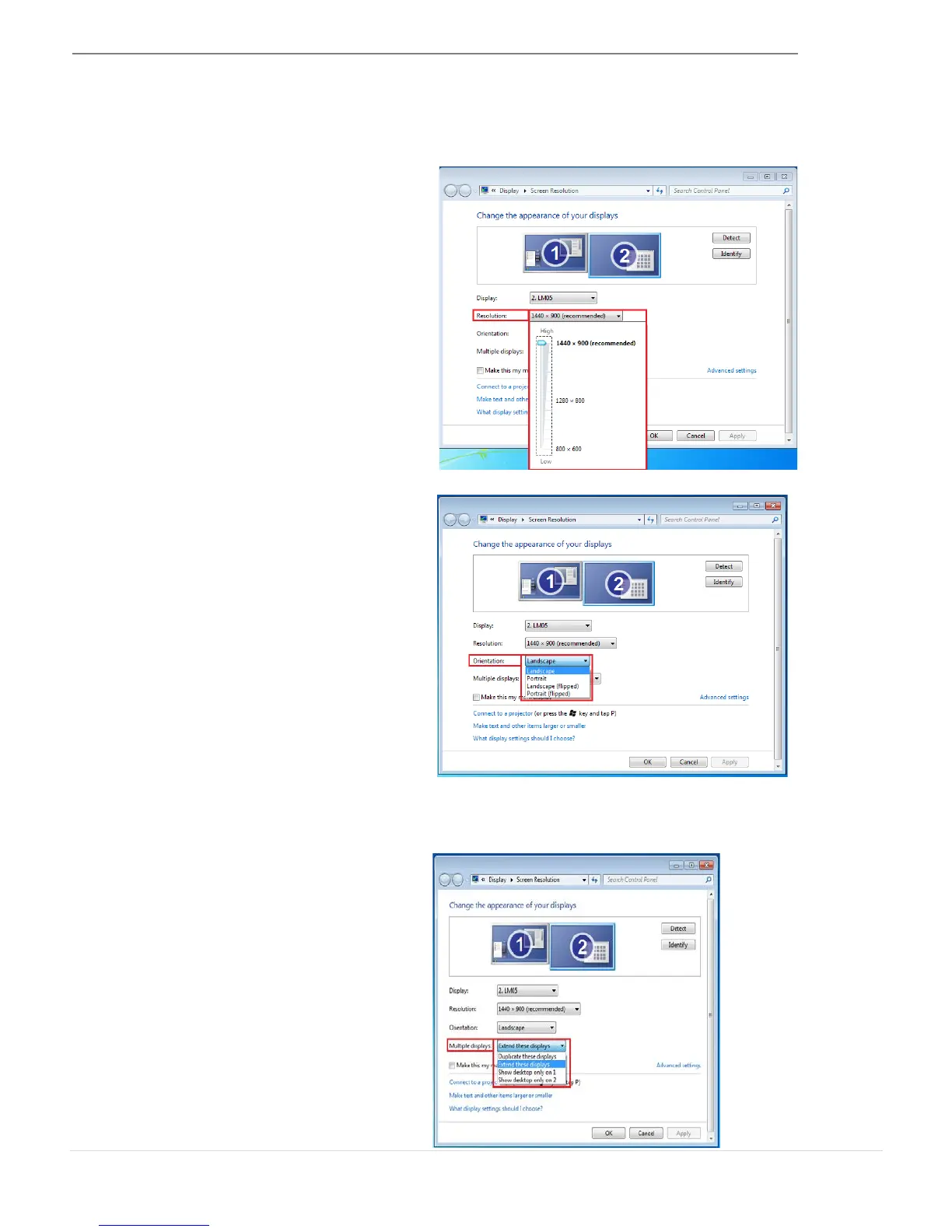
Fast access to Display Resolution settings
The resolution list will show when you
move the cursor over Display Resolution
Select your desired resolution.
Default resolution: 1024 x 768 x 32 bit
The Orientation allows you to turn the
display on the device that is connected
to the USB 3.0 MULTI-ADAPTER
This feature allows the display device
attached to the USB 3.0 MULTI-ADAPTER
to work as an “extended” display of the
on-board screen.
You can adjust the position by clicking
the number of the display first and then
select Extend these displays and click
Apply



 To Next Page