16
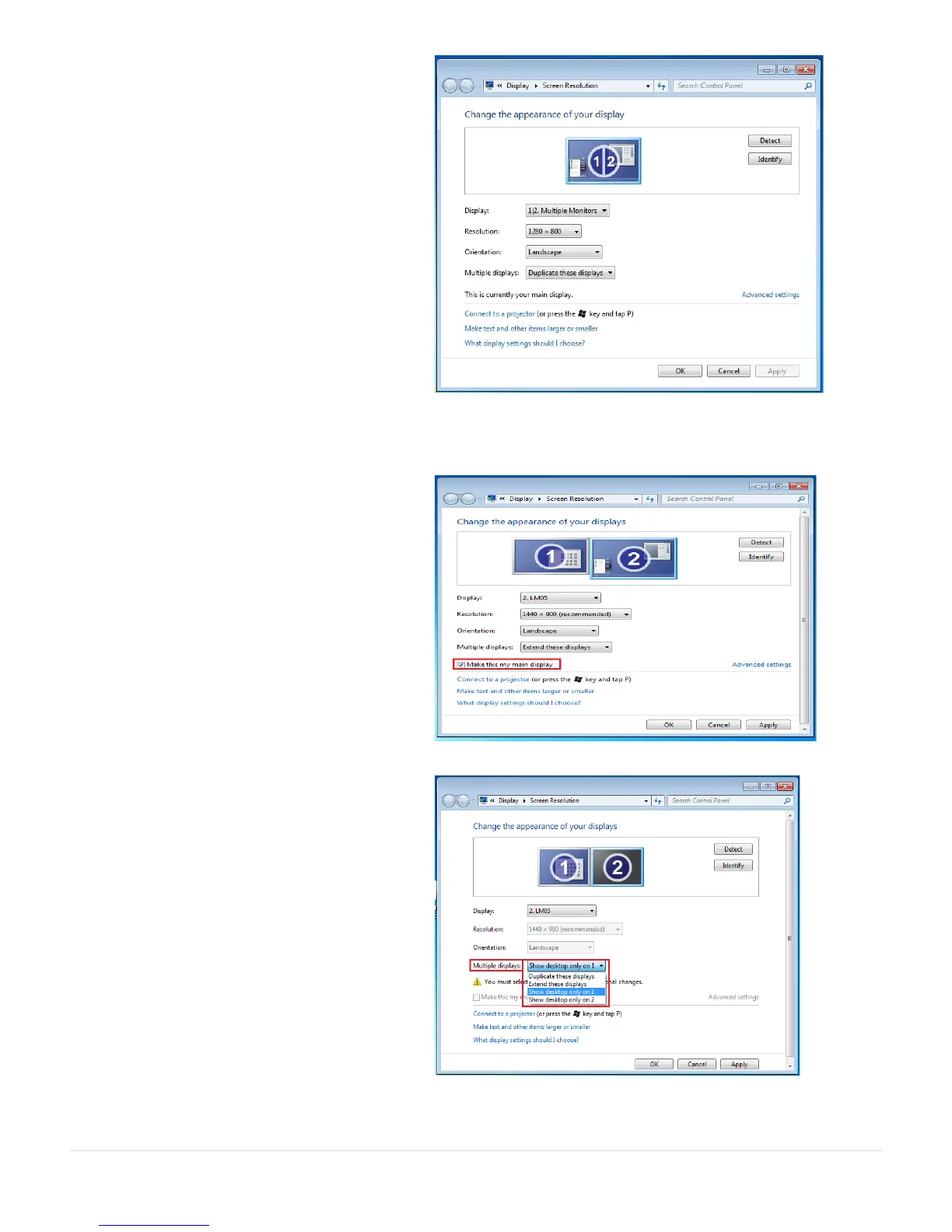
Mirror mode-Duplicate
This feature allows the same contents of
the on-board screen to be displayed on
the screen connected to the USB 3.0
MULTI-ADAPTER
You can select Duplicate these displays
and click Apply
Note:
The resolution for the secondary and
primary displays must be the same when
using Mirror Mode (This may be lower than
the preferred resolution for the display).
Only 2 displays can be mirrored at the
same time. Windows 7 OS may have other
limitations.
Primary mode
When you want to switch the enabled
monitor as the main display and extend
the view to the on-board screen.
Choose the Number of the main display
you want and click on
You can turn one display on while the
other is off
Select Show desktop only on 1 and the
2
nd
display will be off
Select Show desktop only on 2 and the
1
st
display will be off



 To Next Page