USB 3.0 MULTI-ADAPTER USER MANUAL
17
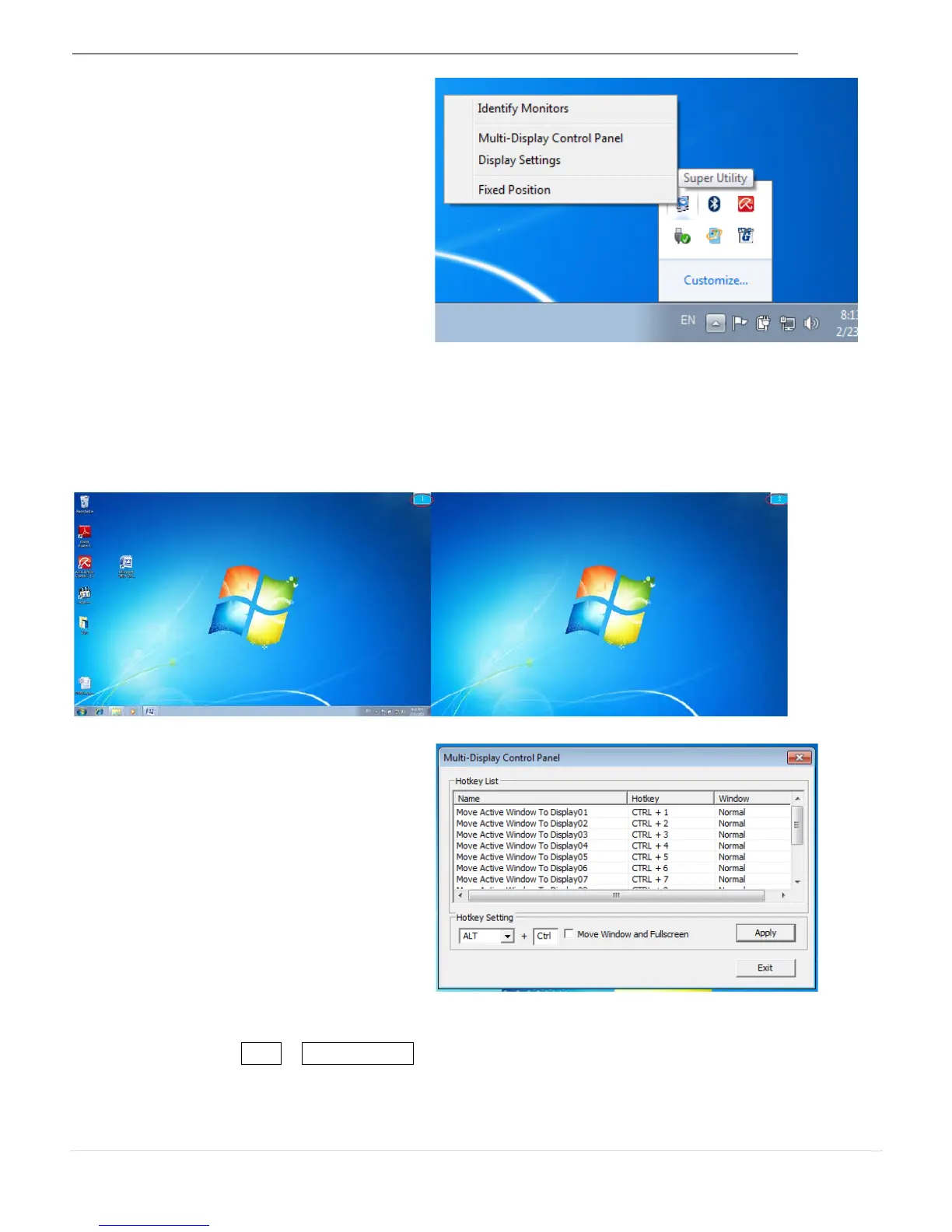
Super Utility
A super utility provides more options.
You can find the icon on the lower right
side of the task bar.
Identify Monitors
When Identify Monitors is selected, a serial number will be shown in the upper right corner of
the display device. You can see the serial number of each display when using the Hotkey
function.
Multi-Display Control Panel
This unique feature allows a faster and
simpler working experience using a
multi-display device. A series of Hotkey
settings will help you move quickly from
the active window or cursor to the
desired display.
Default setting is Ctrl + Display No.
Click the window you want to move on the task bar to activate it and then press the
Hotkey



 To Next Page