5
english
JABRA ARROW
3 Your phone will nd the Jabra ARROW
- Your phone will nd the headset under name “Jabra ARROW”.
Your phone then asks if you want to pair with the headset.
Accept by pressing ‘Yes’ or ‘OK’ on the phone. You may be asked
to conrm with a passkey or PIN. Then use 0000 (4 zeros). Your
phone will conrm when pairing is complete and the light on
the headset will ash a few times to conrm pairing.
Manual pairing mode
If you wish to use the headset with a dierent phone, or if the
pairing process was interrupted, you can manually set the headset
to pairing mode.
Make sure the headset is on. Press and hold the answer/end
button for approximately 5 seconds until the
icon
turns from a steady light to a ashing light. Then repeat steps
2 and 3 in the above pairing guide.
ConneCtInG WItH YoUR PHone
Pairing is only needed the rst time a headset and phone are
used together. When the headset and phone have been paired
once, they will automatically connect when the headset is on and
is activated on the phone. The headset can be used
when it is “connected” to the phone. If the devices are paired, but
do not immediately connect, tap the answer/end button.
WeARInG stYLe
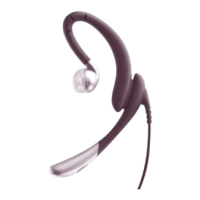
The Jabra ARROW can be worn on either ear with or without ear
hook. The ear hook can be removed and the headset can be worn
with one of the Ultimate Comfort Eargels
TM
. Replace the standard
ear gel with a small, medium or large Ultimate Comfort Eargels
TM
included in the pack. You can twist the ear gel slightly to optimize
t and comfort.


 To Next Page
 Loading...