EasyManua.ls Logo

Jabra ENHANCE PRO 10 - User Manual

Jabra ENHANCE PRO 10
80 pages
Print Icon
To Next Page IconTo Next Page
Loading...
ENHANCE PRO 10
Hearing technology for life’s new rhythm
User guide
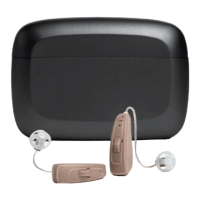
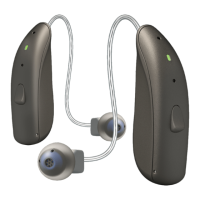
Receiver-In-The-Ear hearing aids

Questions and Answers

  • B
    bbrownJul 29, 2025
    What to do if my Jabra ENHANCE PRO 10 is not charging?
    • J
      Joshua HarrisonJul 30, 2025
      If your Jabra Hearing Aid is not charging, check if the hearing aid is correctly inserted in the charger, if not, put the hearing aid back in the charger. Also, check if the hearing aid charger is charged or plugged into a power source, if not, charge the hearing aid charger.
  • S
    Steven ToddAug 9, 2025
    Why does my Jabra Hearing Aid battery drain so quickly?
    • M
      Mr. Jose MillerAug 9, 2025
      Your Jabra Hearing Aid battery may drain quickly if you leave your hearing aid on for long periods. Always turn off your hearing aids when you are not using them, or place them in the charger for charging. Also, batteries run out faster when you use wireless functions like streaming from your smart device or from your TV with our TV streamer. Another reason may be that the hearing aid is 3-4 years old, in that case visit your hearing care professional.
  • H
    hsloanAug 19, 2025
    How to stop feedback or whistling in my Jabra ENHANCE PRO 10 Hearing Aid?
    • M
      Michael SummersSep 12, 2025
      Feedback or whistling in your Jabra Hearing Aid can occur for several reasons: - Ensure your earmold or dome is correctly inserted in your ear; if not, put it back in. - If the volume is very loud, reduce it. - If you are holding an object close to the hearing aid, create more space between the hearing aid and the object. - If your ear is full of wax, visit your doctor. - Check if the hearing aid is turned off and turn it on. - Check if the hearing aid is charged and charge it. - Check if the hearing aid charger is charged and charge it. - If the receiver wire is broken or the earmold is clogged, visit your hearing care professional.

Summary

FDA warnings and cautions (US only)

Medical evaluation for users under 18

Warning for users under 18 requiring medical evaluation before use.

Seek medical help for stuck ear pieces

Instructions on seeking medical help if parts of the hearing aid get stuck in the ear.

Hearing loss in minors

Guidance on medical evaluation and audiologist assessment for minors.

Preparing your hearing aids for use

Battery safety warnings

Critical safety warnings regarding the rechargeable lithium-ion battery.

Charging hearing aid instructions

Instructions and recommendations for charging the hearing aids.

Placing your hearing aids in your ears

Identifying left and right aids

Explains the color-coding system for distinguishing left and right hearing aids.

Inserting receiver domes correctly

Step-by-step guide for correctly inserting receiver domes into the ear.

Inserting earmolds correctly

Step-by-step guide for correctly inserting earmolds into the ear.

Removing your hearing aids from your ears

Removing receiver domes

Instructions for safely removing hearing aids with receiver domes.

Removing earmolds

Instructions for safely removing hearing aids with earmolds.

Using your hearing aids

Powering hearing aids on and off

How to power the hearing aids on and off using the push button.

Understanding indicator lights

Explanation of the meaning of different indicator light patterns on the hearing aid.

Overview of listening programs

Information on customizable listening programs for different environments.

Changing listening programs

How to switch between different listening programs using the push button.

Telephone usage with hearing aids

Guidance on optimal positioning for using telephones with hearing aids.

Advanced options

Cleaning and caring for your hearing aids

General care and maintenance

Essential daily and general guidelines for keeping hearing aids clean and functional.

Daily cleaning procedure

Specific steps for daily wiping and brushing of hearing aids.

How to change the wax filter

Instructions on how and when to replace the wax filter to protect components.

General warnings and cautions

Cyber security warnings

Troubleshooting

Jabra ENHANCE PRO 10 Specifications

General IconGeneral
CategoryHearing Aid
ManufacturerJabra
ModelENHANCE PRO 10
BluetoothYes
RechargeableYes
Noise ReductionYes
Directional MicrophonesYes
Tinnitus MaskingYes
CompatibilityiOS and Android
Battery LifeUp to 30 hours
App ControlYes

Related product manuals