EasyManua.ls Logo

Jabra ENHANCE SELECT 200 - User Manual

Jabra ENHANCE SELECT 200
60 pages
Print Icon
To Next Page IconTo Next Page
Loading...
ENHANCE SELECT 200
Life is richer when you can hear it.
User guide
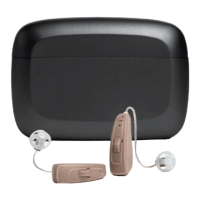
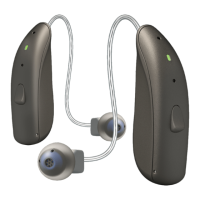
Receiver-In-Ear hearing aids, Rechargeable

Other manuals for Jabra ENHANCE SELECT 200

Questions and Answers

  • M
    Michael RayJul 30, 2025
    Why my Jabra ENHANCE SELECT 200 Hearing Aid has no sound?
    • X
      xreynoldsJul 30, 2025
      If your Jabra Hearing Aid has no sound, there might be several reasons. First, check if the hearing aid is turned on; if not, turn it on. Ensure the hearing aid and its charger are adequately charged. If the receiver wire is broken, contact Jabra Enhance for a replacement. Clean the hearing aids and replace the wax filters if they are clogged. If earwax is the problem, consult your doctor. Remember to turn off your hearing aids when not in use or place them in the charger to conserve battery, especially when using wireless functions.
  • D
    Daniel DavisAug 8, 2025
    What to do if my Jabra Hearing Aid is not charging?
    • W
      wclineAug 8, 2025
      If your Jabra Hearing Aid is not charging, ensure it is correctly inserted into the charger. If it isn't, put it back in the charger. Also, verify that the hearing aid charger is charged or properly plugged into a power source. If the charger is not charged, charge it.
  • L
    Lisa KennedyAug 17, 2025
    How to stop whistling on Jabra ENHANCE SELECT 200 Hearing Aid?
    • K
      Kyle JenkinsAug 17, 2025
      If you're experiencing feedback or whistling with your Jabra Hearing Aid, several factors could be the cause. Make sure the dome is correctly inserted in your ear; if not, re-insert it. If the volume is too loud, reduce it. If the receiver wire is broken, contact Jabra Enhance for a replacement. Ensure you are not holding any object close to the hearing aid, and if your ear is full of wax, visit your doctor.

Summary

FDA Warnings and Cautions

Age Restriction and Medical Consultation

Warning against use for individuals under 18, recommending medical consultation.

When to Seek Medical Advice

Lists specific ear-related problems that require medical attention from a doctor.

FDA Warnings and Cautions (Continued)

Pain, Discomfort, and Safety Precautions

Advice on device comfort, not using as hearing protection, and seeking medical help if parts get stuck.

FDA Warnings and Cautions (Continued)

Introduction

Product Overview

Replacement Parts and Accessories

Preparing for Use

Critical Battery Warnings

Critical safety warnings related to the rechargeable lithium-ion battery, including ingestion and leakage hazards.

Charging and Battery Status

Charging Procedures and Low Battery Alerts

Instructions for charging the hearing aids and information on low battery alerts and their behavior.

Placing Hearing Aids in Your Ears

Inserting the Receiver Dome

Inserting the Receiver Dome Correctly

Step-by-step guide for inserting the receiver dome correctly into the ear canal for optimal fit.

Removing Hearing Aids from Your Ears

Safe Removal Procedure

Provides step-by-step instructions for safely removing the hearing aids from the ears.

Using Your Hearing Aids

Hearing Aid Functions

Controlling Volume with Push Button

Instructions on how to adjust the volume using the push button on the hearing aids.

Advanced Usage

Connectivity Options

Mobile App and Online Services

Jabra Enhance Select App Control

Explains how to use the Jabra Enhance Select app for hearing aid control and updates.

Flight Mode and Wireless Communication

General Care and Maintenance

Daily Cleaning and Maintenance

Changing Hearing Aid Domes

Changing the Wax Filter

Removing the Old Wax Filter

Inserting the New Wax Filter

Receiver Replacement

Replacing the Hearing Aid Receiver

General Safety Warnings

General Safety and Handling Precautions

Covers essential safety warnings, including radiation exposure, avoiding modifications, and general handling.

Usage and Wireless Precautions

Cyber Security Warnings

Troubleshooting Common Issues

Troubleshooting (Continued)

Troubleshooting (Continued)

Regulatory Information

Technical Specifications

Jabra ENHANCE SELECT 200 Specifications

General IconGeneral
BluetoothYes
RechargeableYes
Noise ReductionYes
Directional MicrophonesYes
CategoryHearing Aid
ManufacturerJabra
ModelENHANCE SELECT 200
Smartphone AppYes
Battery LifeUp to 30 hours
Battery TypeRechargeable Lithium-ion
Water ResistanceIP52
CompatibilityiOS and Android
StyleBehind-the-ear
Frequency Range100 Hz

Related product manuals