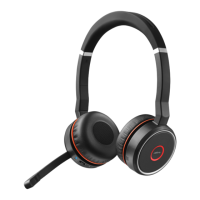
Jabra Evolve 75+ MS Stereo
How do I manually reset my Jabra Evolve 75 to the default
settings?
When you reset your Jabra Evolve 75, previously paired devices and
settings will be cleared.
To reset, simultaneously press and hold (5 seconds) the Answer/end call
button and the Volume up button.
Note
You will need to re-pair the headset with the Jabra Link Bluetooth
adapter using Jabra Direct.
https://www.jabra.com/supportpages/jabra-evolve-75/7599-832-199/faq/a71e06ab-
4dc3-4741-b6d1-81e074e04161
Page 1 of 2

 Need help?












 To Next Page
 General