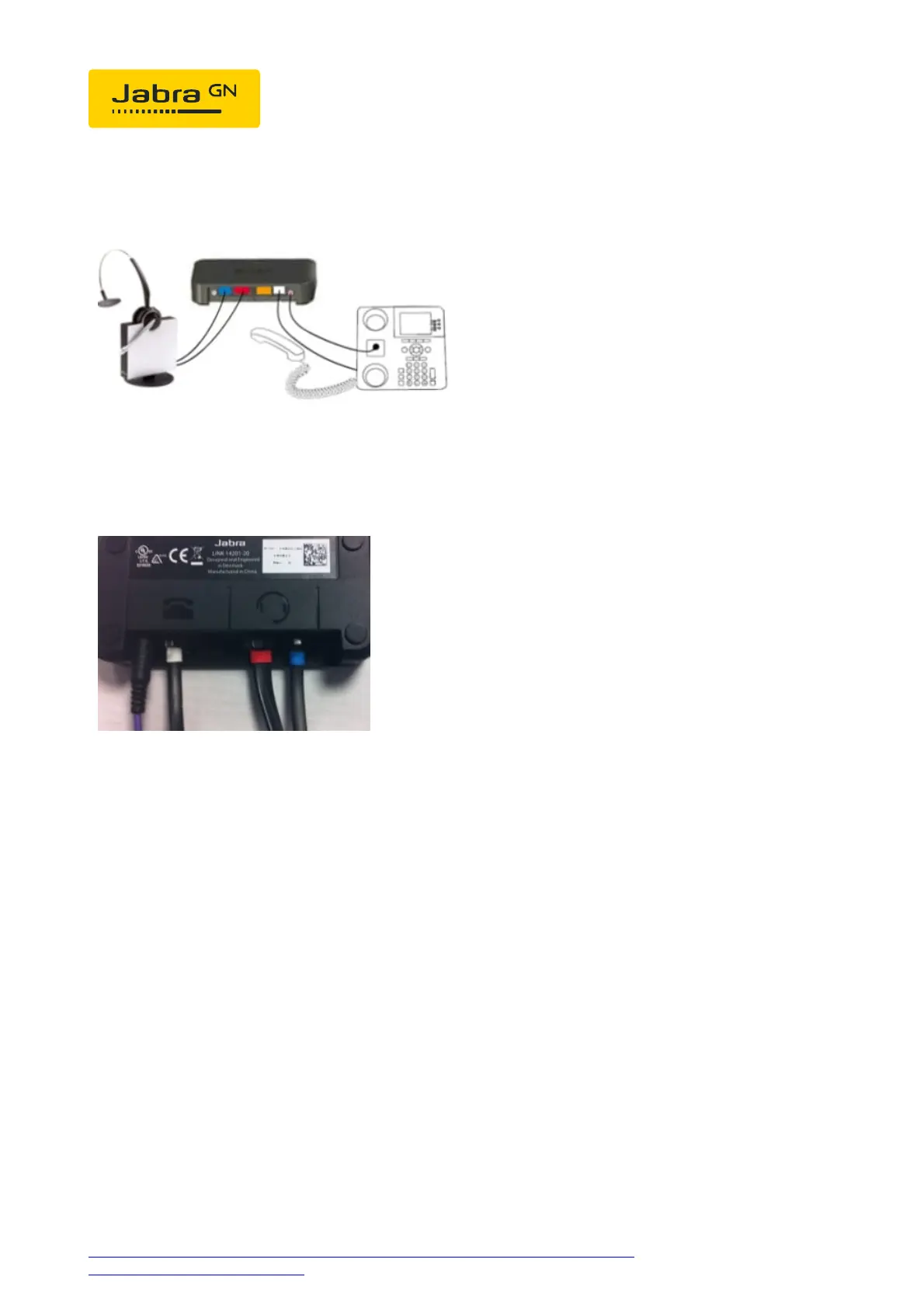
Connect the ring sensor to the EHS adapter and attach it to the middle
of the phone speaker.
Please be aware that the phone will not be fully functional until the
coloured markings for all cables have been connected to the EHS
adapter, see photo.
EHS setup:
The Jabra GN912x must support and be set up on DHSG EHS.
You can check it or set it up as follows.
1. Put the headset in the base.
2. Then press the PLUS and MINUS buttons simultaneously for 6
seconds until the online display on the headset starts to flash.
3. The base will now display to you the EHS currently installed. The
online indicator light indicates "MSH", the pulsating light indicates
"RHL", the MUTE light "DHSG" and the battery display "AEI".
https://www.jabra.co.uk/supportpages/jabra-gn9120/9120-281-11/faq/0f2a5ee5-
8734-473b-81b6-0b593baaaa41
Page 2 of 4





 To Next Page