08
US
*The NEMA L14-30R and NEMA 14-50 outputs cannot be used in Bypass mode when the product is
connected to a wall outlet with the AC charging cable.
*The system settings will return to backup UPS mode once the product restarts in online UPS mode.
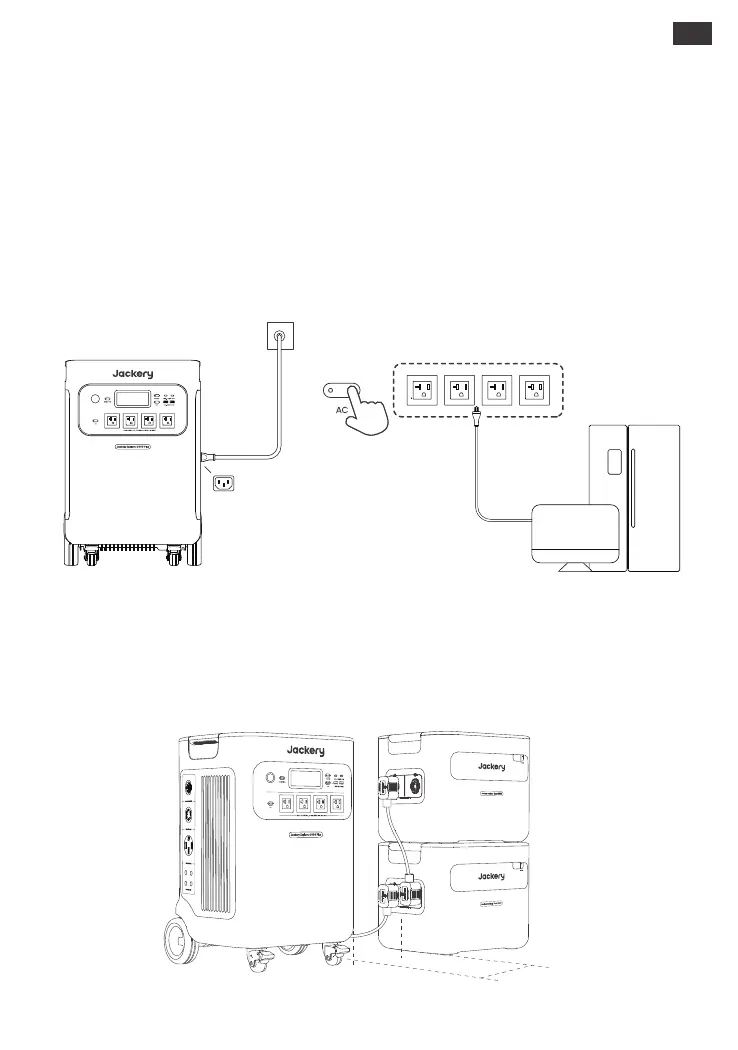
*Please ensure the distance between the main unit and the battery pack is at least 200mm.
*Before connecting the battery pack to the Jackery Explorer 5000 Plus, ensure that both are
powered off.
This product can support up to 5 battery packs to meet the need for large power capacity. For details
on how to use it, please refer to the Jackery Battery Pack 5000 Plus user manual.
CONNECT TO BATTERY PACK (SOLD SEPARATELY)
An uninterruptible power supply (UPS) is a type of continual power system that provides automated
backup electric power to a load when the mains power fails.
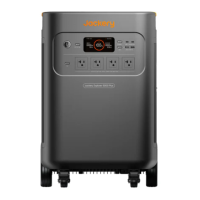
Jackery Explorer 5000 Plus supports backup UPS and online UPS. Connect the product to a wall outlet
with the AC charging cable, then press the AC output button and power your appliances at the same
time . The backup UPS function is enabled by default. In the event of a sudden loss of mains power, the
device will automatically power up your appliances with the stored power within 20 ms. If you require
0 ms switching, you can achieve this in two ways: firstly, enable Online UPS in the Jackery app;
alternatively, press the DC and AC buttons on the product simultaneously. In the online UPS mode, only
NEMA 5-20 output ports work and support 0 ms switching, with a maximum output power of 3600W.
UPS
Step 1
Step 2
Step 3
≥200mm







 To Next Page