EasyManua.ls Logo

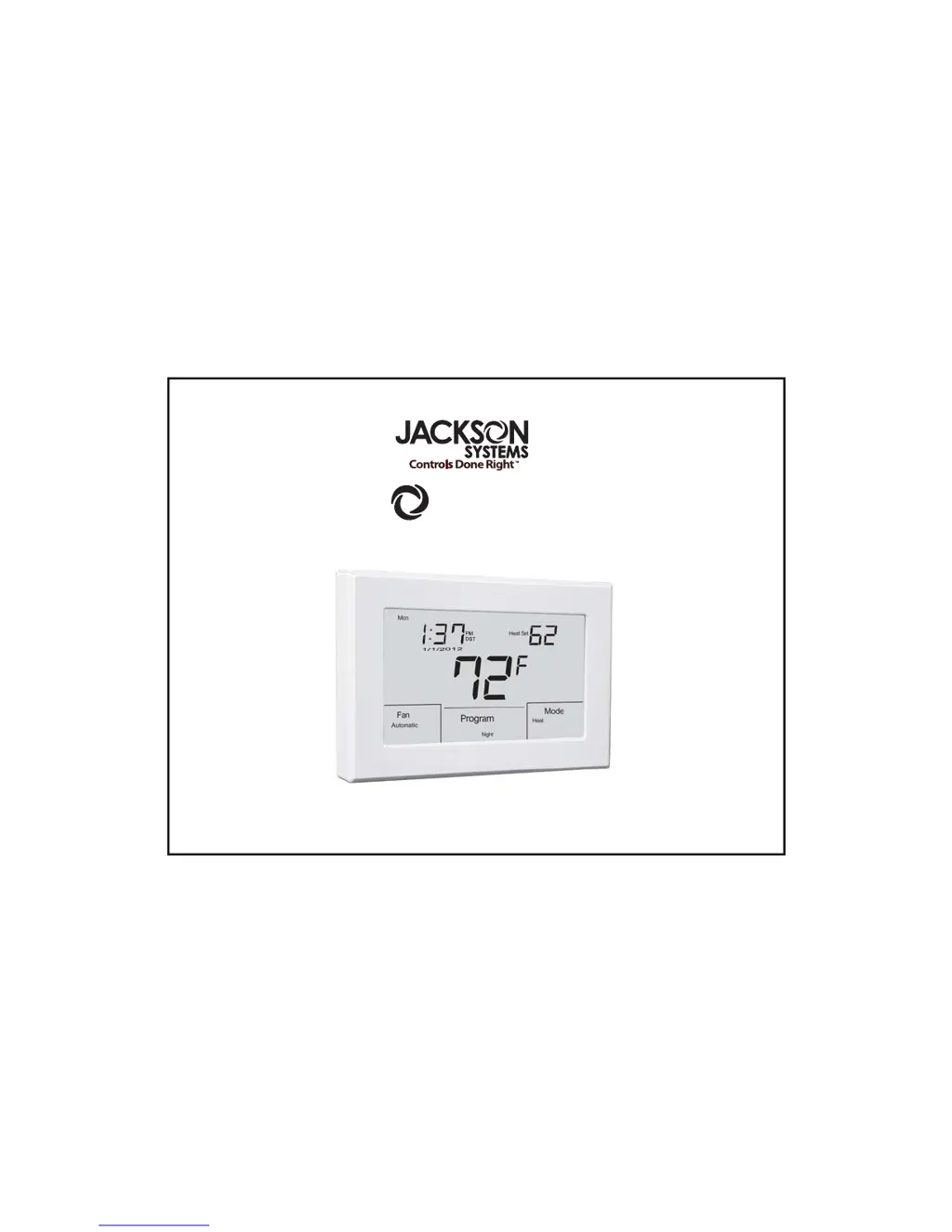
Jackson Systems T-32-TS Touchscreen Thermostat - User Manual

Jackson Systems T-32-TS Touchscreen Thermostat
63 pages
Print Icon
To Next Page IconTo Next Page
Loading...
COMF
RT SYSTEM
T-32-TS Touchscreen Thermostat
Installation Manual

Table of Contents

Questions and Answers

Summary

Introduction

Getting Started

Installing the Thermostat

Disassembly

How to detach the thermostat unit from its base.

Thermostat Location

Guidance on selecting an appropriate location for thermostat installation.

Mounting the Subbase

Instructions for securely attaching the thermostat subbase to the wall.

Terminal Designations

Defines the function of each terminal on the thermostat.

Setting System Switches

System Switch Functions

Explains the purpose and settings for each of the four system switches.

Installing Batteries

Typical System Wiring Diagrams

Heat Only (Gas)

Wiring diagram for a gas-fired heating-only HVAC system.

Heat Only (Electric)

Wiring diagram for an electric heating-only HVAC system.

Cool Only

Wiring diagram for a cooling-only HVAC system.

1 Heat; 1 Cool (Gas)

Wiring diagram for a gas system with one stage of heating and cooling.

2 Heat; 2 Cool (Gas)

Wiring diagram for a gas system with two stages of heating and cooling.

2 Heat; 1 Cool (Heat Pump)

Wiring diagram for a heat pump system with two heating stages and one cooling stage.

3 Heat; 2 Cool (Heat Pump)

Wiring diagram for a heat pump system with three heating stages and two cooling stages.

2 Heat; 1 Cool (Fossil Fuel)

Wiring diagram for a fossil fuel system with two heating stages and one cooling stage.

3 Heat; 2 Cool (Fossil Fuel)

Wiring diagram for a fossil fuel system with three heating stages and two cooling stages.

Installer Setup Menu

Entering the Setup Menu

Procedure to access the thermostat's installer setup menu.

Selecting the Program

Configuring the thermostat for programmable or non-programmable operation.

Selecting Program Days

Setting 5+2 or 7-day programming schedules.

Selecting Temporary Program Override

Setting a temporary override for the current program schedule.

Selecting Programmable Fan Mode

Enabling or disabling the programmable fan feature.

Selecting Mode

Configuring the system operation mode (Auto, Heat, Cool, Off).

Selecting Touchscreen Lock Options

Configuring which touchscreen functions can be locked.

Selecting the Cooling Setpoint Limit

Setting the minimum allowed cooling temperature setpoint.

Selecting the Heating Setpoint Limit

Setting the maximum allowed heating temperature setpoint.

Selecting the Temperature Display

Choosing between Fahrenheit or Celsius for temperature display.

Selecting the Time Format

Setting the time display to 12-hour or 24-hour format.

Selecting the Setpoint Display Option

Choosing to display setpoint or space temperature continuously.

Selecting Back Light Option

Configuring the thermostat's display backlight behavior.

Selecting Adaptive Recovery Option

Enabling or disabling the adaptive recovery feature.

Selecting Filter Reminder

Setting a reminder for HVAC filter replacement.

Selecting First Stage Heating and Cooling Differential Option

Adjusting the differential for the first stage of heating/cooling.

Selecting Second Stage Heating and Cooling Differential Option

Adjusting the differential for the second stage of heating/cooling.

Selecting Third Stage Heating Differential Option

Adjusting the differential for the third stage of heating.

Selecting Internal Or Indoor Remote Sensor Calibration Option

Calibrating the thermostat's internal or remote indoor sensor.

Selecting Remote Sensor Option

Choosing the type of remote sensor configuration.

Selecting Equipment Configuration

Configuring the thermostat for the specific HVAC equipment type.

Selecting Low Balance Point Option

Setting a low temperature lockout for heat pump/fossil fuel.

Selecting High Balance Point Option

Setting a high temperature lockout for heat pump/fossil fuel.

Selecting Audible Beep Option

Enabling or disabling audible feedback from the thermostat.

Selecting the Factory Default Option

Resetting the thermostat to its original factory settings.

Selecting Daylight Savings Time Option

Enabling or disabling Daylight Saving Time for the clock.

Remote Sensor Installation

Remote Sensors

Overview of available remote sensor types and their capabilities.

Indoor Sensor Wiring

Instructions for wiring an indoor remote sensor to the thermostat.

Using Multiple Sensors for Temperature Averaging

Details on wiring multiple sensors for averaging temperature readings.

Outdoor Sensor Wiring

Instructions for wiring an outdoor remote sensor to the thermostat.

Testing Operations

Testing Fan Operation

Procedure to verify the functionality of the fan relay.

Testing Conventional Heating and Cooling Operation

Verifying the operation of heating and cooling stages.

Testing Heat Pump Operation

Verifying the operation of a heat pump system.

Testing Fossil Fuel Operation

Verifying the operation of a fossil fuel system.

Testing Low Balance Point

Testing the low balance point lockout feature for heat pumps/fossil fuel.

Testing High Balance Point

Testing the high balance point lockout feature for heat pumps/fossil fuel.

Adaptive Recovery Function

Explanation of the Adaptive Recovery feature for energy efficiency.

Basic Trouble Shooting

No LCD Display

Troubleshooting steps for a blank thermostat screen.

Thermostat Cannot Be Set for Auto Changeover

Resolving issues with setting the auto changeover mode.

Inaccurate Temperature Display

Diagnosing and fixing temperature display inaccuracies.

Thermostat Not Displaying Outdoor Temperature

Steps to take when the outdoor temperature is not displayed.

Heat or Cool Flashing Indicator

Understanding the meaning of the flashing Heat or Cool indicator.

Lock Icon for Setpoint Adjustment

Troubleshooting why a lock icon prevents setpoint changes.

Incorrect Temperature Display

Resolving issues where the thermostat shows the wrong temperature.

Fan Runs Continuously

Troubleshooting why the fan stays on after a call is satisfied.

Locked Thermostat Functions

Resolving issues where thermostat functions are locked.

T-32-TS Specifications

Jackson Systems T-32-TS Touchscreen Thermostat Specifications

General IconGeneral
TypeTouchscreen Thermostat
Wi-Fi ConnectivityNo
ProgrammableYes
BacklightYes
Hold FunctionYes
Filter Change AlertYes
DisplayTouchscreen
Power Source24VAC
Temperature Range45°F to 90°F (7°C to 32°C)
Dimensions1.1" D

Related product manuals