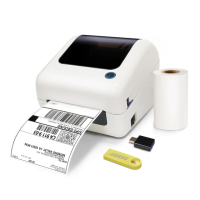
10.Important Tips:Print Iabel of multiple size
using ‘Take a snap shot’
The function of 'Take a snap shot' can solve most print problem. It enables you to print the area you
want . Now let us show you how to use it.
1.How to print your labels with nonstandard size.
If the printed PDF/file is unusual size such as A4 which can't be found the same size label to buy. In
this situations, you have to use the function of 'take a snapshot' to print. Here are the steps to operate.
(1)For windows:
a. Open the PDF in Adobe Reader
b. From the top panel, select 'Edit'>'Take a Snapshot. choose the area you want to print.
See FAQ at support.jadens.com
Go to support.jadens.com, find and download smartphone App and user manual for Android and
IOS by search latest app.
9.Smartphone APP Setup


 To Next Page