27
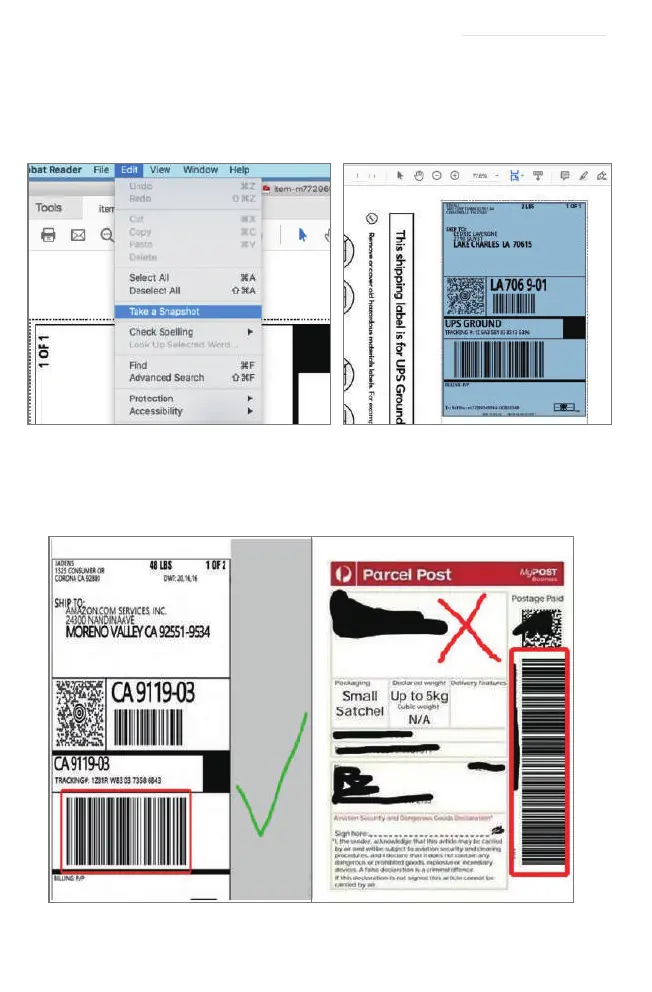
C. Next, from the top panel, select Edit>Take a Snapshot. Then click and drag over one of the labels
that you need, so that you can print a specific range of label.
2. If you want to print the label that include barcode, please make sure print out the barcode vertically
in case the high temperature lead to the barcode print out blocks and can't be scanned.
See FAQ at support.jadens.com


 To Next Page