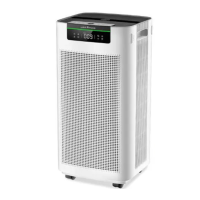
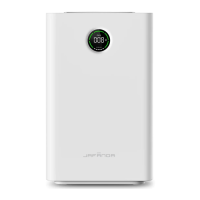
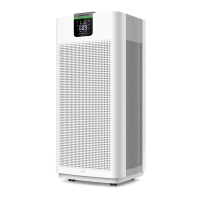
This document outlines the features, usage, and maintenance of the JAFANDA JF100-Air Purifier. It is designed to help users understand how to operate and care for their air purifier effectively.
Function Description
The JAFANDA JF100-Air Purifier is designed to improve indoor air quality by filtering out various airborne pollutants. It utilizes a 3-stage filtration system to ensure comprehensive air purification. The primary function of the device is to efficiently purify PM2.5, smog, pollen, and other particulate pollutants, creating a cleaner and healthier environment. The air purifier operates with three distinct airflow speeds, allowing users to adjust the purification intensity based on their needs. The main engine houses the core components responsible for drawing in air, filtering it, and releasing purified air.
Usage Features
The air purifier offers a range of user-friendly features controlled via a touch-sensitive panel.
- Power Button: To turn the device on, simply touch the power button. All button icons will illuminate white, and the airflow will default to the first gear. Touching the power button again will put the machine into standby mode, where only the power and timer button icons will be half-lit, and other icons will be off.
- Fan Speed: Users can adjust the airflow speed by touching the fan speed icon. There are three levels: Lv1, Lv2, and Lv3, allowing for customization based on the desired purification intensity and noise level.
- Sleep Mode: For quiet operation during the night, the device offers a sleep mode. In this mode, the air purifier continues to purify air at its quietest setting, and the LCD screen dims. To enter sleep mode from a working state, touch the sleep mode icon. Touching it again will wake the machine. If all icons are off, any key can be touched to light up the sleep button, then touch the sleep button to wake the machine.
- Safety Lock: To prevent accidental operation by children or pets, a safety lock feature is included. Long-pressing the safety lock icon for more than 3 seconds will lock the device. All button icons will turn off, and the control panel will become unresponsive to touch, with only the safety lock icon remaining lit. To unlock, long-press the safety lock icon again for more than 3 seconds, and other button icons will resume lighting up.
- Timer Switch: The appliance can be set to automatically turn ON or OFF after a selected time. In standby state, touch the timer icon to activate automatic turn on. In working state, touch the timer icon to activate automatic turn off. The timer can be set by touching the icon four times to cycle through 2h, 4h, 8h, or cancel timing options.
- Ambient Light: The ambient light at the bottom of the machine will slowly turn on and then go out each time the adapter is reconnected and powered on. In working state, touch the ambient light icon to adjust its brightness. When the device enters standby state, the previous light settings are memorized and will be applied directly when the device is next turned on. There are five light modes: 25%, 50%, 100%, icon lights and ambient light OFF, and icon lights ON and ambient light OFF.
Maintenance Features
Proper maintenance is crucial for optimal performance and longevity of the JAFANDA JF100-Air Purifier.
- Filter Replacement: The filter has a lifespan of 2000 hours. When the remaining filter life is less than 150 hours, the filter icon light will flash orange, signaling that a replacement is needed. After replacing the filter, long-press the filter reset button for more than 5 seconds. The light will turn white, and the filter time will be cleared and reset. If the filter is not reset, the filter icon light will continue to flash orange every time the device is turned on. It is important to note that the filter cannot be reset if its remaining life is greater than 150 hours.
- Mandatory Filter Life Reset: In standby state, long-press the filter reset button and the fan speed button simultaneously for more than 5 seconds. All button icons will flash 6 times and then turn off, indicating that the filter life reset is complete.
- General Cleaning: To ensure the best performance, it is important to regularly clean the appliance and check for blockages. Avoid using strong corrosive cleaning agents, as they can damage the machine's surface.
- Filter System: The 3-stage filtration system includes:
- Pre-Filter: This layer captures large particles such as lint, fibers, hair, and pet fur, maximizing the filter's life by protecting subsequent layers.
- True H13 HEPA Original Filter: This filter removes at least 99.97% of airborne particles 0.3 micrometers (µm) in diameter, including small particles like mold spores, tiny dust particles, smoke components, pollen, dander, and mites.
- High-Efficiency Sponge Carbon Filter: This layer physically adsorbs smoke, odors, and fumes.
- Safety Precautions:
- Always ensure the air inlet/outlet is not blocked.
- Do not operate the appliance if the power cord or plug is damaged, or if the appliance malfunctions or is damaged in any way. Contact customer service for damaged parts.
- Never immerse any part of the appliance, power cord, or plug in water or other liquids.
- Always unplug the device from the outlet when not in use, before changing parts, or cleaning.
- Do not use attachments not recommended by JAFANDA, as this may cause fire, electric shock, or injury.
- This air purifier is not a toy; close supervision is required when used near children.
- Avoid using the device in areas with oily smoke or high humidity, such as bathrooms.
- Troubleshooting: If the product is not working, check if the plug is inserted correctly and if the power button is on. Reinstall the filter if necessary. If fresh air is not sent out smoothly, ensure the plastic packaging is removed from the filter and clean any foreign matter. For poor odor removal, replace the JAFANDA filter. If the machine makes unusual sounds, remove any obstructing objects and clean foreign matter.
- Warranty and Support: JAFANDA provides a 1-year product warranty. Users can extend this by an additional year by registering their product on the JAFANDA website. For any issues or questions, contact customer support via email, providing the product model number and Amazon order number for efficient assistance.

 Need help?
 General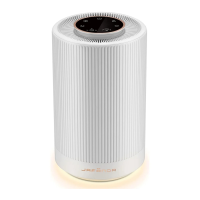

 To Next Page