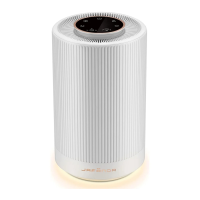
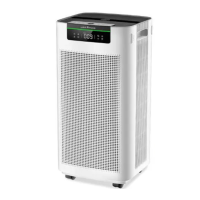
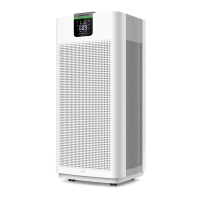
The Jafanda JF260-Air Purifier is designed to improve indoor air quality by efficiently purifying PM2.5, smoke, pollen, VOCs, pet odors, and other pollutants. It features a 3-stage filtration system and a range of smart functions to ensure better air for your home or office.
Function Description:
The JF260 operates by drawing in air through its air inlets, passing it through a composite filter, and then releasing purified air through the air outlet. It offers five fan speeds, a timer function, and various ambient light modes. The built-in PM2.5 sensor provides real-time air quality readings, which are displayed digitally on the screen. The purifier also includes a filter replacement reminder to ensure optimal performance. For convenience, it supports both manual and auto modes, adjusting fan speed based on PM2.5 concentration. A child lock feature prevents accidental changes to settings.
Important Technical Specifications:
- Product Name: Air Purifier
- Model: JF260
- Power Adapter (Input): 100-240V~50/60Hz
- Power Adapter (Output): 24V-1.5A
- Rated Power: 32W
- CADR (Clean Air Delivery Rate): 153CFM (260m³/h)
- Noise Level: 23-54dB
- Standby Power: < 0.5W
- Product Size: 8.66 x 8.66 x 14.41 inches (22 x 22 x 36.6 cm)
- Package Size: 11.42 x 10.24 x 16.06 inches (29 x 26 x 40.8 cm)
- Net Weight (N.W.): 6.6 lbs (3.0 kg)
- Gross Weight (G.W.): 8.6 lbs (3.9 kg)
- Operating Conditions: Temperature 14°F-104°F (-10°C-40°C), Humidity 20%-95% RH
- Filter Life: 3000H
- Room Area Served: 238 ft² (5 Times/h)
- Filtration System: 3-stage composite filter (Pre-filter, H13 HEPA filter, Activated Carbon filter)
- Certifications: ETL Intertek 5019454, Meets California ozone emissions limit, CARB CERTIFIED, EPA Est.NO.98581-CHN-1
Usage Features:
- Touch Panel Controls: The device is operated via a touch control panel with intuitive icons for Power, Speed, Sleep/Filter, Timer, Light, Auto, and Child Lock.
- Power ON/OFF: A single touch of the power button turns the unit ON (bright white light) or OFF (bright red light for standby mode).
- Speed Adjustment: Users can cycle through five fan speeds (1-5) in manual mode.
- Sleep Mode: Pressing the Sleep/Filter button activates sleep mode, where the unit operates silently, and all indicators and ambient lights turn off after 10 seconds, with fan speed adjusting to sleep mode. Any button press wakes the screen, and pressing the button again within 10 seconds exits sleep mode.
- Timer Function: The timer button allows setting an automatic shutdown or start time from 0 to 12 hours, increasing by 1-hour increments.
- Ambient Light Control: The light button offers five modes: 25% brightness, 50% brightness, 100% brightness, shut off button (display screen and ambient light off after 10s), and lit button (display screen and ambient light stay off).
- Auto Mode: In auto mode, the fan speed automatically adjusts between 1 and 4 based on real-time PM2.5 concentration values, indicated by the air quality warning light (Green for Excellent, Blue for Good, Yellow for Poor, Red for Severe).
- Child Lock: Pressing and holding the Speed and Auto buttons for more than 3 seconds activates child lock, preventing unintended changes. The child lock icon lights up, while other buttons remain off. The same action exits child lock.
- Memory Function: The purifier remembers the last used wind speed and light settings when powered ON, unless the adapter is unplugged and re-plugged, in which case it defaults to auto mode.
- Filter Replacement Reminder: The filter button turns red, and the last indicator light flashes when the filter life is below 150 hours, signaling the need for replacement.
Maintenance Features:
- Cleaning the Body: The device body should be cleaned once a month with a soft cloth. For stubborn stains, a neutral detergent can be used. Avoid hard objects to prevent scratching the shell.
- Filter Cleaning and Replacement:
- Filter Life: The filter has an approximate life of 3000 hours. Indicator lights decrease every 600 hours.
- Filter Replacement Reminder: When the filter life is below 150 hours, the filter button turns red, and the last indicator light flashes. Replace the filter and press the filter button for 3 seconds to reset the filter life indicator.
- Filter Life Reset: If the filter life is ≥150 hours, pressing the reset button will only emit a "ding" sound. If the filter life is <150 hours, a long press (3s) will reset the filter life, confirmed by a "ding" sound, and the indicator light will turn fully on.
- Mandatory Reset: In standby mode, within 30 seconds of power-on, a long press (more than 3s) of the filter reset button will force a reset, indicated by a "ding" sound and the screen flashing 6 times. Rebooting will turn the filter life indicator light back on.
- Filter Surface Cleaning: Dust on the composite filter surface can be cleaned with a vacuum cleaner once a month to extend its service life. Do not wash the filter.
- Disposal: Used waste filters should be disposed of according to relevant solid waste regulations.
- Pre-filter: Intercepts hair, dander, fibers, and particles of all sizes. Can be vacuumed regularly.
- H13 HEPA Filter: High-efficiency filtration of particles as small as 0.3 micron (PM2.5, smoke, pollen, dust).
- Activated Carbon Filter: High iodine value activated carbon for effective adsorption of VOCs, cigarette odor, lampblack odor, and pet odor.
- Pre-installed Filters: The device comes with two composite filters pre-installed. Before first use, ensure the plastic bags around the filters are removed and the filters are properly installed.
- Adapter Unplugging: Always unplug the power adapter before any maintenance operation or when the unit is not in use to prevent electric shock or fire.

 Need help?
 General

 To Next Page