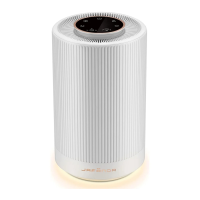
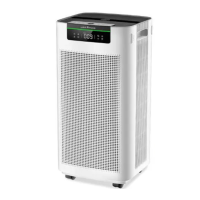
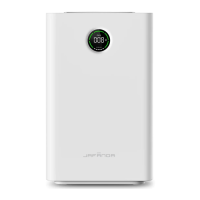
This document describes the JAFĀNDA JF999-Air Purifier, a device designed to improve indoor air quality.
Function Description
The JAFĀNDA JF999-Air Purifier is designed to efficiently purify PM2.5, smoke, pollen, dust, and other particulate pollutants from the air. It integrates multiple functions to provide comprehensive air purification and monitoring. The device features a 3-stage filtration system, including a Pre-filter, HEPA filter, and activated carbon filter, working in conjunction to capture and eliminate various airborne contaminants.
The Pre-filter is responsible for capturing larger particles such as human hair, fibers, pet fur, and dust particles, thereby protecting the HEPA filter and extending its life. The HEPA filter captures and filters airborne contaminants down to 0.01 microns in size, including PM2.5, dust, smoke particles, mold spores, and plant spores. The activated carbon filter absorbs and eliminates fumes and volatile organic compounds (VOCs) from the air. It's important to note that the activated carbon filter, HEPA filter, and Pre-filter are combined into a single composite filter unit.
The air purifier offers five fan speeds, allowing users to adjust the purification intensity according to their needs. It also includes a timer function, enabling users to set the device to switch on or off automatically for durations ranging from 1 to 12 hours. An indicator light signals when the filter needs replacement, ensuring optimal performance.
Operating modes include Manual, Auto, and Sleep. In Auto mode, the fan speed is automatically adjusted based on the real-time PM2.5 density, ensuring efficient purification without constant manual intervention. The device provides real-time monitoring of indoor temperature and humidity, along with a real-time display of PM2.5 values, giving users immediate feedback on air quality. For safety, a child lock function prevents unintended operation. The purifier also supports WiFi control, allowing for remote management.
Important Technical Specifications
- Product Name: Air Purifier
- Model: JF999
- Rated Voltage: 120V~
- Rated Frequency: 60Hz
- Rated Current: 1.4A
- Rated Power: 110W
- Product Size: 13.0 x 11.81 x 28.03 inches (33.0 x 30.0 x 71.2 cm)
- Package Size: 16.3 x 15.08 x 31.93 inches (41.4 x 38.3 x 81.1 cm)
- Net Weight (N.W): 27.1 lb (12.3 kg)
- Gross Weight (G.W): 32.61 lb (14.8 kg)
- Clean Air Delivery Rate (CADR): 588 CFM (1000 m³/h)
- Noise Level: 22-58 dB
- Standby Power: < 2W
- Operating Conditions:
- Temperature: 14°F-104°F (-10°C-40°C)
- Humidity: 20%-95% RH
- Filter Life: 3000 hours
- Room Area Served: 915 ft² (5 Times/h)
- Certifications: Meets California ozone emissions limit, CARB CERTIFIED, FC, US Intertek 5019454, EPA Est.NO.98581-CHN-1
Usage Features
The JF999-Air Purifier is designed for user-friendly operation. Upon powering on, the device emits a "ding" sound, and the display screen lights up, ready for function selection.
Control Panel: The control panel features intuitive icons for various functions:
- On/Off: Turns the air purifier on or off. The power key indicator is red in standby and white in working state.
- Fan Speed (+/-): Adjusts fan speed through 1 to 5 settings. The white indicator light of the fan speed key is on, and the current gear is displayed.
- Timer: Sets the timer for automatic switch-on or switch-off, with a range of 1 to 12 hours.
- Light: Adjusts ambient light brightness with five modes: 25%, 50%, 100% brightness, shut off display screen and ambient light (sleep icon lights off after 10s), or lit display screen with ambient light off.
- WiFi: Connects the device to WiFi for remote control. The WiFi button and icon flash during connection and remain on when connected successfully.
- Auto Mode (A): Automatically adjusts fan speed (from 1 to 4) based on real-time PM2.5 density. The air quality indicator color changes with PM2.5 concentration (Green for Excellent, Blue for Good, Yellow for Poor, Red for Severe).
- Sleep Mode: Enters sleep mode, turning off most indicator lights and icons except the sleep icon, and maintaining fan speed at Gear 1. The device can be awakened by touching any function key.
- Child Lock: Prevents accidental operation by disabling other control panel buttons when activated. To activate/deactivate, press and hold the button for more than 3 seconds.
- Filter Reset: Indicates when the filter needs to be changed (icon lights up red) and allows for filter life reset.
Memory Function: The device remembers previous wind speed and light settings upon restart, but defaults to Gear 1 with ambient light slowly turning on if the adapter is re-plugged.
Initial Setup:
- Pull out the filter cover slightly.
- Take out the filter cover.
- Take out the new filter with plastic film from inside the machine.
- Remove the plastic film from the filter.
- Put the filter without plastic film back into the machine.
- Put the filter mesh cover back.
- Insert the power plug.
- Touch the power key to turn on.
Maintenance Features
Regular cleaning and maintenance are crucial for the optimal performance and longevity of the JF999-Air Purifier.
Safety Precautions:
- Always unplug the power plug from the adapter before performing any maintenance.
- Do not touch the power plug with wet hands.
- Do not block the air inlet/outlet.
- Do not use the machine in places with excessive oil fume or high humidity.
- Do not rinse the high-efficiency composite filter with water.
- Regularly clean the machine and power plug.
- Use only 120V power sockets.
- Keep the device away from heat sources or flammable gases.
- Avoid corrosive detergents when cleaning the air purifier's surface.
- Ensure the filter is installed correctly before use.
Cleaning the Machine Body:
- Recommended once a month.
- Wipe off stains with a soft rag.
- For stubborn stains, use a soft rag dipped in a neutral detergent.
- Avoid scratching the machine shell with hard objects and damaging any parts during base disassembly.
Cleaning and Changing the Filter:
- Recommended every 3-6 months, depending on usage environment.
- The built-in program will remind you when to replace the filter. The filter life is set to 3000 hours. Indicators go off every 600 hours of use. When remaining filter life is less than 150 hours, the filter reset key lights up red, and the last indicator flashes (1Hz), prompting replacement.
- Resetting Filter Life:
- If remaining filter life is not less than 150 hours, touching the filter life reset key (for more than 3s) will only make a "ding" sound, but not reset.
- If remaining filter life is less than 150 hours, the filter life reset key flashes. Pressing the reset key (for more than 3s) will make a "ding" sound, and the filter life indicators will fully light up, confirming successful reset.
- Forcible Reset: Press and hold the filter reset key (for more than 3s) within 30s of power-on in standby mode. The screen will flash (2 times/s) 6 times, indicating completion of forcible reset. After restarting, all filter life indicators will be fully on.
- The deposited dust on the surface of the composite filter mesh can be cleaned with a vacuum cleaner to prolong its service life (recommended once every other month, do not wash with water).
- The service life of the filter mesh may vary; in smoking areas or areas with pets, it may shorten. Replace the filter mesh when purification effect worsens.
- Dispose of used waste filter mesh according to relevant regulations on solid waste.
Filter Replacement Procedure:
- When the filter life reset button lights up red and the last indicator flashes, it's time to replace the filter.
- Touch the on-off button to power off and unplug the machine.
- Pull the filter cover out slightly.
- Take out the filter cover.
- Take out the failed filter from the machine.
- Remove the plastic film from the new filter.
- Reinstall the new filter in the machine.
- Put the filter cover back.
- Plug in and touch the on-off button.
PM2.5 Sensor Replacement:
- This procedure should only be performed by professional maintenance personnel.
- Steps:
- Open the sensor cover with a straight screwdriver.
- Remove the sensor cover.
- Hold the hardware handle and pull out the sensor module.
- Unplug the terminal block from the old sensor module and replace it with a new sensor module.
- Put back the sensor module and close the sensor cover.
Warranty Information:
- Jafanda products come with a 1-year warranty from the date of purchase, covering manufacturing defects.
- Customers can apply for a refund within 30 days of purchase.
- The limited warranty applies only if the air purifier is installed, used, and maintained according to the manual.
- One-year warranty extension: Register your product at www.jafanda.com/pages/warranty. Fill in all required fields, including order ID, place of purchase, and date of purchase (if applicable) to extend the warranty for an additional year.

 Need help?
 General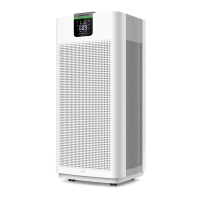

 To Next Page