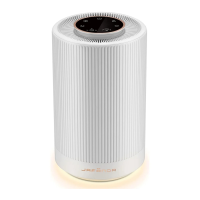
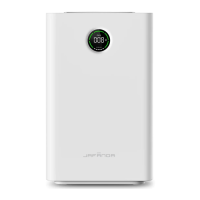
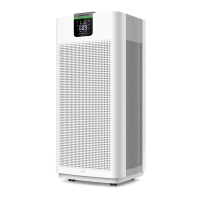
The JAFANDA JF888 Air Purifier is designed to improve indoor air quality by efficiently removing particulate pollutants. It features a multi-stage filtration system and various operating modes to suit different user needs and environmental conditions.
Function Description:
The JF888 Air Purifier primarily functions to purify air by capturing and filtering airborne contaminants. It targets PM2.5, smoke, pollen, dust, mold spores, plant spores, and volatile organic compounds (VOCs). The device offers five fan speeds, a timer function (0-24 hours), and multiple operating modes including Manual, Auto, and Sleep. It also includes a filter replacement indicator, a child lock feature, real-time display of PM2.5/PM1.0/PM10 values, and WiFi control for remote operation.
Important Technical Specifications:
- Product Name: Air Purifier
- Model: JF888
- Rated Voltage: 120V~
- Rated Frequency: 60Hz
- Rated Current: 1.2A
- Rated Power: 90W
- Product Size: 12.2 x 11.4 x 25.9 inches (31.0 x 29.0 x 65.7 cm)
- Package Size: 15.7 x 14.3 x 29.76 inches (38.3 x 36.3 x 75.6 cm)
- Net Weight (N.W): 23.1 lb (10.5 kg)
- Gross Weight (G.W): 28.0 lb (12.7 kg)
- CADR (Clean Air Delivery Rate): 488 CFM (830 m³/h)
- Noise Level: Sleep Mode: 22 dB, High Speed: 54 dB
- Standby Power: < 2W
- Filter Life: 3000H (hours)
- Recommended Room Size: 760 ft² (5 Times/h), 1900 ft² (2 Times/h), 3800 ft² (1 Times/h)
- Operating Conditions: Temperature: 14°F-104°F (-10°C-40°C), Humidity: 20%-95% RH
- FCC ID: 2ANDL-WBR3 (Complies with part 15 of the FCC Rules)
- Certifications: ETL Intertek 5019454 US, Meets California ozone emissions limit, CARB CERTIFIED.
Usage Features:
The JF888 Air Purifier is designed for user-friendly operation with a clear control panel and display.
- Control Panel: Features touch buttons for On/Off, Speed, Timer, WiFi, Auto, Child Lock, and Filter Reset.
- Display: Shows PM2.5/1.0/10 values, current fan speed, timer settings, filter life percentage, and various mode indicators.
- On/Off Button: Turns the air purifier system on or off. The indicator light is red when off (standby) and white when working.
- Fan Speed Button: Cycles through 1 to 5 fan speed settings. The display shows the current wind speed gear.
- PM1.0/PM2.5/PM10 AQI Display: Allows switching between PM2.5, PM1.0, and PM10 value displays. The default display is PM2.5.
- WiFi Button: Enables connection to a network for remote control via an app. Long press for 3 seconds to initiate pairing. The WiFi icon flashes during connection and remains solid once connected.
- Sleep Button: Activates sleep mode, reducing noise by setting the fan speed to gear 1. In sleep mode, most indicator lights turn off after 10 seconds. Touching any function key wakes up the screen. Long pressing for more than 3 seconds enters off-screen mode, turning off all LED indicators while the motor continues to run at the set speed.
- Child Lock Button: Long pressing for more than 3 seconds activates the child lock, making other buttons unresponsive. Long pressing again deactivates it.
- Timer Button: Sets a timing shutdown from 1 to 24 hours. The display shows the set time in hours. In standby mode, the timer can also be used to set a timing power-on.
- Auto Button: In Auto mode, the fan speed automatically adjusts based on the real-time PM2.5 density. The air quality indicator color changes according to PM2.5 values: Green (0-12, Excellent, speed 1), Blue (13-35, Good, speed 2), Yellow (36-55, Poor, speed 3), Red (>55, Severe, speed 4).
- Mobility: Equipped with caster wheels for easy movement within the house.
Maintenance Features:
Regular maintenance is crucial for optimal performance and longevity of the air purifier.
- Filter System: Utilizes a 3-stage filtration system integrated into a single composite filter:
- Pre-filter: Captures larger particles like human hair, fibers, pet fur, and dust, protecting the HEPA filter and extending its life.
- HEPA filter: Captures and filters airborne contaminants down to 0.01 microns, including PM2.5, dust, smoke particles, mold spores, and pollen.
- Activated Carbon Filter: Absorbs and eliminates fumes and volatile organic compounds.
- Filter Replacement Indicator: The filter reset button lights up red when the filter life is below 5%, prompting replacement.
- Filter Life Reset: After replacing the filter, press and hold the filter reset button for more than 3 seconds to reset the filter life to 100%. A "ding" sound confirms the reset. A forced filter life reset can be performed within 30 seconds of power-on by pressing and holding the Auto and Filter Reset buttons simultaneously for more than 3 seconds.
- Filter Replacement Process:
- Power off and unplug the machine.
- Pull the filter cover out slightly and then remove it.
- Take out the failed filter from the machine.
- Remove the plastic film from the new filter.
- Reinstall the new filter into the machine.
- Put the filter cover back.
- Plug in and touch the on-off button.
- Cleaning:
- Machine Body: Wipe off stains with a soft rag, or use a neutral detergent for stubborn stains. Recommended monthly. Avoid scratching the shell with hard objects.
- Composite Filter Mesh: Use a vacuum cleaner to clean deposited dust on the surface of the composite filter mesh every other month to prolong its service life. Do not wash the filter with water.
- PM Sensor Replacement: Sensors must be replaced by professional maintenance personnel. The process involves opening the sensor cover, pulling out the sensor module, unplugging the terminal block, replacing with a new module, and closing the cover.
- Disposal: Used waste filter mesh should be disposed of according to relevant regulations on solid waste.
Safety Instructions:
- Always read the manual carefully before use.
- Do not touch the power plug with wet hands.
- Do not block the air inlet/outlet.
- Do not use the machine in places with excessive oil fume or high humidity.
- Regularly clean the machine and power plug.
- Use only 120V power sockets.
- Keep away from heat sources (fireplaces, stoves, flammable gases).
- Use non-corrosive detergents for cleaning.
- Unplug the power cord when cleaning or leaving unused.
- Not for use by people with disabilities, perceptual disturbance, or children alone unless supervised.
- Ensure all filters are correctly installed before use.
- Do not place the air purifier closer than 10cm/4" to a wall or other objects.

 Need help?
 General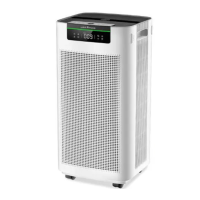

 To Next Page