Setting the FM Radio for the Clock:
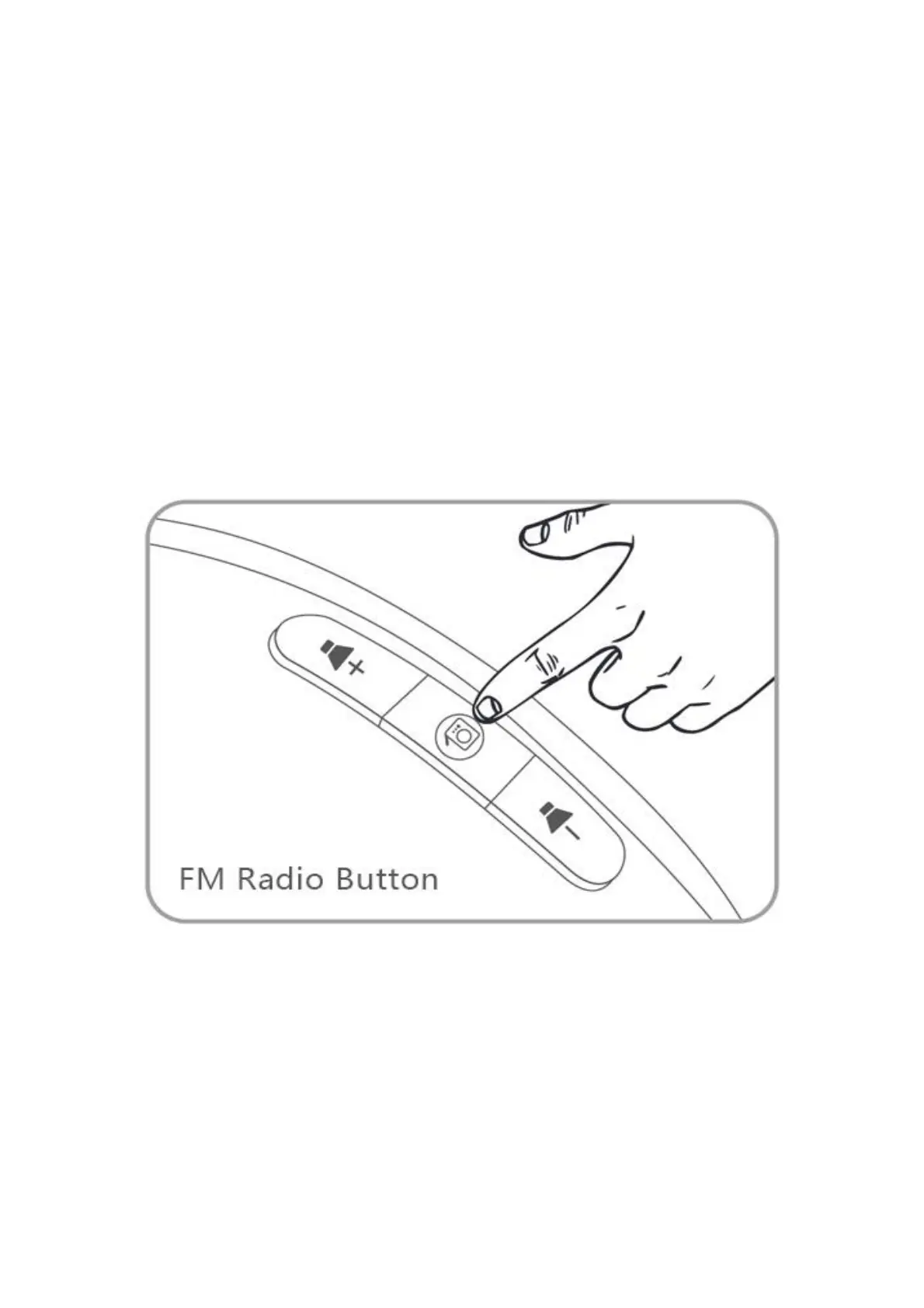
1. Hold the radio button down for 2 seconds, the clock will scan all the available
stations automatically and save them as P-01/P-02/P-03 and so on (up to 10 channels).
You don't need to do anything until it finishes the process.
2. After finishing, the clock radio will select P-01 channel by default.
3. Press the volume "+"/"-" button (near the radio button) to adjust the radio volume.
4. Hold the volume "+"/"-" button for 2 seconds to select P-02/P-03 and another
channel.
5. Press the FM radio button to quit the FM radio mode.
ThreeDucksDirect@outlook.com


 To Next Page