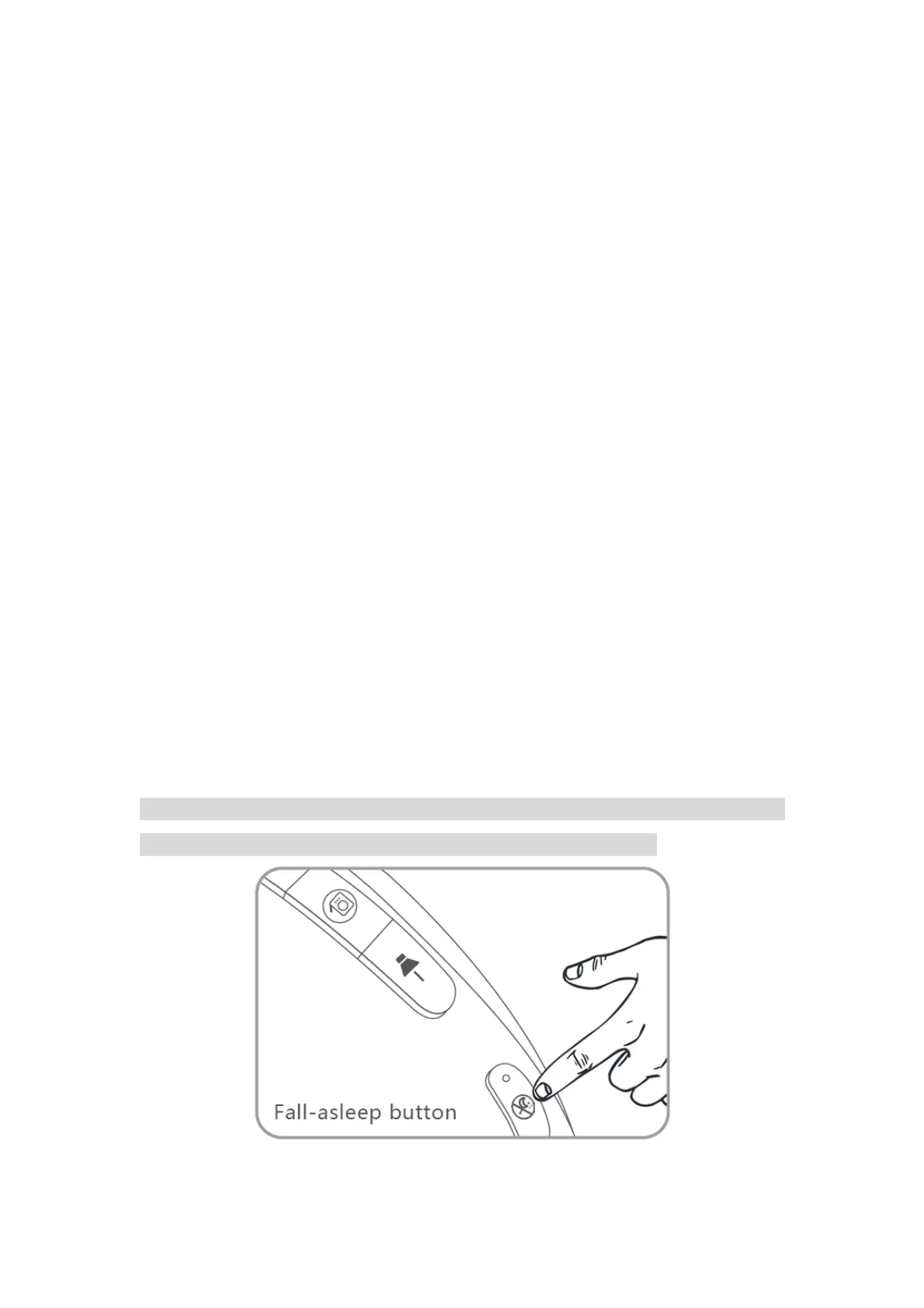
Setting the Fall-asleep Mode (Simulated Sunset Mode) for the
Clock:
1. Press the fall-asleep button to enter the fall-asleep mode.
2. Hold the fall-asleep button for 2 seconds to set the fall-asleep mode.
3. Press the + / - button to adjust the Timer (up to 120 minutes). And then press the
fall-asleep button to confirm it.
4. Press the + / - button to adjust the Brightness. And then press the fall-asleep button
to confirm it.
5. Press the + / - button to adjust the sound. You can choose between 3 pre-set
sounds or FM radio as a fall-asleep sound. And then press the fall-asleep button to
confirm it.
6. Press the + / - button to adjust the volume. And then press the fall-asleep button
to confirm it.
7. Now you are in the fall-asleep mode. You can still press the + / - to adjust brightness
and press the volume + / - button to adjust the volume at this point.
8. Press the fall-asleep button again to quit the fall-asleep mode.
Please Note: After finish setting, the light will slowly turn from the pre-set brightness
level to dark, and the light will turn off at the end of the preset time.
ThreeDucksDirect@outlook.com


 To Next Page