EN 5
USING YOUR PORTABLE CHARGING CASE
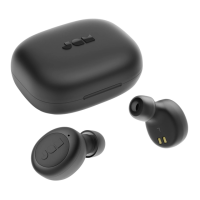
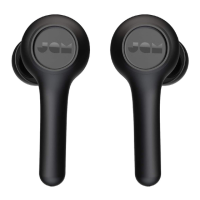
With a full charge, your portable case can recharge your earbuds up
to 8 times, giving you up to 54 hours total of listening time.
LED INDICATORS BASIC FUNCTIONS
EARBUDS IN CHARGING CASE MUSIC
EARBUDS IN MONO USE
PORTABLE CHARGING CASE
CALLS
EARBUDS IN USE
OTHER
TROUBLESHOOTING
1. Turn off Bluetooth® on your device.
2. Take earbuds out of your case.
3. Press and hold “play/pause” button for 5 seconds on
both earbuds to turn them off.
4. Long press the “play/pause” button once on both
times and then be powered on automatically.
5. Earbuds will automatically go into pairing mode once
they are powered on. The master earbud (left) LED will
6. Turn on Bluetooth® on your device.
7. Pair to “JAM Live Free”
8. Earbuds not disconnecting from your device? The Live
Free earbuds may automatically connect to your device
if put in a charging case that has no battery left. For the
best experience, periodically charge the case to ensure
that it always has battery life.
Solid red Charging
LED off Charging complete
Play/Pause Press either play/pause
button once
Forward Track Quickly double click either
play/pause button
Flashing red/blue Left earbud is in pairing mode
with device
Left earbud is paired with
device
Solid red Charging
3 LED’s on Charging complete
Pick up a call Press either play/pause
button once
Decline a call Press and hold play/pause
button for 2 seconds
End a call Press either play/pause
button once
Take a second incoming call Press either play/pause
button once
Decline a second incoming
call
Press and hold play/pause
button for 2 seconds
blue and red alternatively,
Slave (right earbud) slow
Earbuds in sync with each
other and in pairing mode
Paired with device
Activate Siri/Google Assist Quickly triple-press either
play/pause button
Check battery level of earbuds Look at smartphone
Turn off earbud Press and hold play/pause
button for 5 seconds


 To Next Page