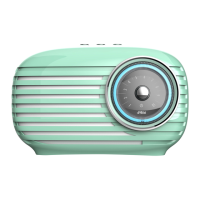
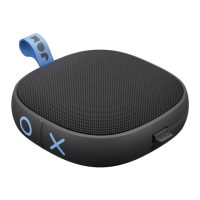
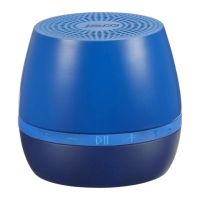
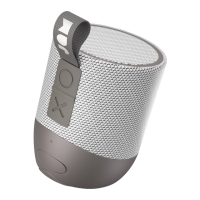
EN Press the icon within the app’s Music Source or Now Playing screen
to add a station to your presets. Follow the instructions to assign the
preset to a position (1, 2, 3, or 4).
FR Appuyez sur l’icône à l’écran Source de musique ou Piste en cours pour
ajouter une station à vos préréglages. Suivez les instructions pour attribuer une
position à votre préréglage (1, 2, 3 ou 4).
ES Presione el ícono dentro de la pantalla Fuente de música o Reproducción
actual de la aplicación para agregar una estación a sus preconfiguraciones. Siga
las instrucciones para asignar la preconfiguración a una posición (1, 2, 3 o 4).
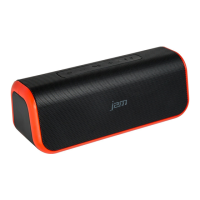
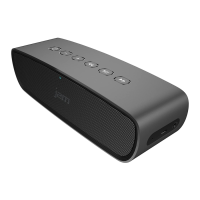
EN Once the preset is assigned, you can activate
it without the app. Just push the 1, 2, 3, or 4
button on your speaker to listen to that preset.
FR Après avoir attribué le préréglage, vous pouvez
l’activer sans avoir à utiliser l’application. Il suffit
d’appuyer sur le bouton 1, 2, 3 ou 4 pour activer le
préréglage correspondant au numéro.
ES Una vez que esté asignada la preconfiguración,
puede activarla sin la aplicación. Solo debe presionar
el botón 1, 2, 3 o 4 en su parlante para escuchar esa
preconfiguración.
ASSIGNING PRESETS
PROGRAMMATION DE PRÉRÉGLAGES / ASIGNAR PRECONFIGURACIONES
Music Stream
Kapelle
Jay Z. Hans
1:36 3:28
Bedroom
Office
Living Room
BEDROOM
Adagio
Marie Alto
Presets
Back
1
Preset One
2
Preset Two
3
Preset Three
4
Preset Four
No Jam
Speaker Found
New Speaker Setup
Connect the speaker
to the power adapter
Plug the other end of the
power adapter into an
electrical outlet
Back Next
Back Next
Wait 60 Seconds for the
Jam speaker to boot
Once the light is solid
red, proceed to the
next step
Back Next
Press the Wifi Graphics
button on the back
of the speaker
Once in connection mode,
the blue light on top of the
speaker will start blinking
Please have your network password ready
Back Next
Press the Pair button on
the back of the speaker
Once in connection mode,
the blue light on top of the
speaker will start blinking
(Illustration goes here)
Please enter your Wifi Network Password
Cancel Confirm
Wifi Password
Bedroom
Streaming Service
POPSTAR
Yang Meecola
1:03 3:37
TAP TO ADD A NEW SPEAKER
BEDROOM
Adagio
Marie Alto
Adagio
Marie Alto
BEDROOM
Kapelle
Jay Z. Hans
OFFICE
Classy
Lute Playa
LIVING ROOM
TAP TO ADD A NEW SPEAKER
OFFICE
Kapelle
Jay Z. Hans
Adagio
Marie Alto
BEDROOM
Kapelle
Jay Z. Hans
OFFICE
Classy
Lute Playa
LIVING ROOM
TAP TO ADD A NEW SPEAKER
Adagio
Marie Alto
BEDROOM
Classy
Lute Playa
LIVING ROOM
Kapelle
Jay Z. Hans
OFFICE
OFFICE
Kapelle
Jay Z. Hans
TAP TO ADD A NEW SPEAKER
GROUP 1
Classy
Lute Playa
Adagio
Marie Alto
BEDROOM
OFFICE
LIVING ROOM
L
R
/
L
R
/
Classy
Lute Playa
GROUP 1
Group 1
Streaming Service
Classy
Lute Playa
1:03 3:37
Streaming Service
FAVORITES
POP RADIO
INDIE RADIO
WORKOUT MIX
Music Stream
Kapelle
Jay Z. Hans
1:36 3:28
Bedroom
Office
Living Room
BEDROOM
Adagio
Marie Alto
Presets
Back
1
Preset One
2
Preset Two
3
Preset Three
4
Preset Four
No Jam
Speaker Found
New Speaker Setup
Connect the speaker
to the power adapter
Plug the other end of the
power adapter into an
electrical outlet
Back Next
Back Next
Wait 60 Seconds for the
Jam speaker to boot
Once the light is solid
red, proceed to the
next step
Back Next
Press the Wifi Graphics
button on the back
of the speaker
Once in connection mode,
the blue light on top of the
speaker will start blinking
Please have your network password ready
Back Next
Press the Pair button on
the back of the speaker
Once in connection mode,
the blue light on top of the
speaker will start blinking
(Illustration goes here)
Please enter your Wifi Network Password
Cancel Confirm
Wifi Password
Bedroom
Streaming Service
POPSTAR
Yang Meecola
1:03 3:37
TAP TO ADD A NEW SPEAKER
BEDROOM
Adagio
Marie Alto
Adagio
Marie Alto
BEDROOM
Kapelle
Jay Z. Hans
OFFICE
Classy
Lute Playa
LIVING ROOM
TAP TO ADD A NEW SPEAKER
OFFICE
Kapelle
Jay Z. Hans
Adagio
Marie Alto
BEDROOM
Kapelle
Jay Z. Hans
OFFICE
Classy
Lute Playa
LIVING ROOM
TAP TO ADD A NEW SPEAKER
Adagio
Marie Alto
BEDROOM
Classy
Lute Playa
LIVING ROOM
Kapelle
Jay Z. Hans
OFFICE
OFFICE
Kapelle
Jay Z. Hans
TAP TO ADD A NEW SPEAKER
GROUP 1
Classy
Lute Playa
Adagio
Marie Alto
BEDROOM
OFFICE
LIVING ROOM
L
R
/
L
R
/
Classy
Lute Playa
GROUP 1
Group 1
Streaming Service
Classy
Lute Playa
1:03 3:37
Streaming Service
FAVORITES
POP RADIO
INDIE RADIO
WORKOUT MIX
Music Stream
Kapelle
Jay Z. Hans
1:36 3:28
Bedroom
Office
Living Room
BEDROOM
Adagio
Marie Alto
Presets
Back
1
Preset One
2
Preset Two
3
Preset Three
4
Preset Four
No Jam
Speaker Found
New Speaker Setup
Connect the speaker
to the power adapter
Plug the other end of the
power adapter into an
electrical outlet
Back Next
Back Next
Wait 60 Seconds for the
Jam speaker to boot
Once the light is solid
red, proceed to the
next step
Back Next
Press the Wifi Graphics
button on the back
of the speaker
Once in connection mode,
the blue light on top of the
speaker will start blinking
Please have your network password ready
Back Next
Press the Pair button on
the back of the speaker
Once in connection mode,
the blue light on top of the
speaker will start blinking
(Illustration goes here)
Please enter your Wifi Network Password
Cancel Confirm
Wifi Password
Bedroom
Streaming Service
POPSTAR
Yang Meecola
1:03 3:37
TAP TO ADD A NEW SPEAKER
BEDROOM
Adagio
Marie Alto
Adagio
Marie Alto
BEDROOM
Kapelle
Jay Z. Hans
OFFICE
Classy
Lute Playa
LIVING ROOM
TAP TO ADD A NEW SPEAKER
OFFICE
Kapelle
Jay Z. Hans
Adagio
Marie Alto
BEDROOM
Kapelle
Jay Z. Hans
OFFICE
Classy
Lute Playa
LIVING ROOM
TAP TO ADD A NEW SPEAKER
Adagio
Marie Alto
BEDROOM
Classy
Lute Playa
LIVING ROOM
Kapelle
Jay Z. Hans
OFFICE
OFFICE
Kapelle
Jay Z. Hans
TAP TO ADD A NEW SPEAKER
GROUP 1
Classy
Lute Playa
Adagio
Marie Alto
BEDROOM
OFFICE
LIVING ROOM
L
R
/
L
R
/
Classy
Lute Playa
GROUP 1
Group 1
Streaming Service
Classy
Lute Playa
1:03 3:37
Streaming Service
FAVORITES
POP RADIO
INDIE RADIO
WORKOUT MIX



 To Next Page
 Loading...