EasyManua.ls Logo

Jandy AquaLink RS PDA - User Manual

Jandy AquaLink RS PDA
36 pages
Print Icon
To Next Page IconTo Next Page
Loading...
Installation Data
Installation Manual
AquaLink
®
RS
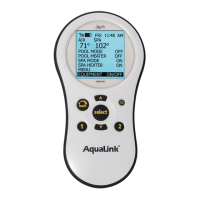
PDA - Pool Digital
Assistant
WARNING
FOR YOUR SAFETY - This product must be installed and serviced by a professional pool/spa service
technician. The procedures in this manual must be followed exactly. Failure to follow warning notices
and instructions may result in property damage, serious injury, or death.
Pool/Spa Combination Systems and
Pool Only/Spa Only Systems
(Models PS4, PS6, PS8, P4, and P8)
H0572200A
ATTENTION
This device complies with part 15 of the FCC Rules. Operation is subject to the following two conditions: (1) This
device may not cause harmful interference, and (2) this device must accept any interference received, including
interference that may cause undesired operation.
NOTE: This equipment has been tested and found to comply with the limits for a Class B digital device, pursuant to
part 15 of the FCC Rules. These limits are designed to provide reasonable protection against harmful interference in
a residential installation. This equipment generates, uses and can radiate radio frequency energy and, if not installed
and used in accordance with the instructions, may cause harmful interference to radio communications. However,
there is no guarantee that interference will not occur in a particular installation. If this equipment does cause
harmful interference to radio or television reception, which can be determined by turning the equipment off and on,
the user is encouraged to try to correct the interference by one or more of the following measures:
Reorient or relocate the receiving antenna.
Increase the separation between the equipment and receiver.
Connect the equipment to an electrical source on a circuit different from that to which the receiver is connected.
Consult the dealer or an experienced radio/TV technician for help
Modications made to this equipment, which are not authorized by the manufacturer, may void the user’s authority
to operate this equipment.

Questions and Answers

Jandy AquaLink RS PDA Specifications

General IconGeneral
DisplayLCD
Power SourceBattery
CompatibilityAquaLink RS systems
ConnectivityRF (Radio Frequency)
FunctionsControl pool and spa equipment

Summary

Important Safety Instructions

General Safety Precautions

Essential safety measures for system operation and electrical hazards.

Water Temperature Safety Guidelines

Rules for safe water temperatures to prevent hyperthermia and injury in spas.

Electrical Safety and Grounding Requirements

Critical safety advice on electrical shock prevention and proper grounding.

System Overview

Package Contents and Components

Details the items included in the AquaLink RS system package.

Component Specifications and Dimensions

Technical specifications and physical dimensions of system parts.

Basic Plumbing Diagrams

Illustrates simplified plumbing configurations for pool/spa systems.

Installation Procedures

Power Center Mounting and Placement

Guidelines for the correct location and mounting of the power center.

High Voltage Wiring and System Power

Instructions for connecting the main power supply and high voltage components.

3 HP Relays and Power Center Bonding

Procedures for connecting relays and ensuring proper grounding of the power center.

Underwater Lighting and GFCI Wiring

Steps for safely wiring underwater lights with GFCI protection.

Low Voltage Wiring and Connections

Guidance on connecting low voltage components like the PDA J-box.

Heater and Heat Pump Connections

Instructions for connecting various types of heaters and heat pumps.

Heater Connection Guidelines by Brand

Specific wiring instructions for Hayward, Pentair, and Raypak heaters.

Gas Heater and Heat Pump;Chiller Wiring

Procedures for integrating gas heaters and Jandy AE Series heat pumps/chillers.

Temperature Sensor Installation

Instructions for installing water, air, and solar temperature sensors.

Jandy Valve Actuator (JVA) Installation

Guidance on mounting and wiring Jandy Valve Actuators for water flow control.

PDA Transceiver J-box Installation

Steps for installing the outdoor transceiver J-box for wireless PDA communication.

PDA Handheld Remote Setup

Instructions for installing batteries and preparing the handheld PDA remote.

Changing Wireless Frequency Channel

Procedure to change the RF channel to prevent interference with other devices.

System Startup and Programming

Handheld Remote Programming Basics

Guide to initial programming of the system using the PDA handheld remote.

Setting Time, Temperature, and Aux Labels

Procedures for configuring system time, temperatures, and naming auxiliary functions.

Freeze Protection and JVA Assignment Configuration

Steps for setting up freeze protection and assigning Jandy Valve Actuators.

System Defaults, Memory Clearing, and Modes

Information on default settings, clearing system memory, and operating modes.

Battery Backup and Initial Startup Options

Details on battery backup for the clock and choices for initial equipment operation.

Troubleshooting Guide

PDA Communication and Operation Issues

Solutions for common problems with the PDA's communication and display.

Remote Control and System Performance Issues

Troubleshooting for remote buttons, phantom programs, and heater functionality.

Power Center Wiring Diagram

Power Center PCB DIP Switch Configuration

DIP Switch Function Descriptions

Explains the purpose and effect of each DIP switch on the PCB.

Pool;Spa Combination DIP Switch Settings

Specific DIP switch settings for combined pool and spa system configurations.

Pool or Spa Only DIP Switch Settings

Specific DIP switch settings for pool-only or spa-only system configurations.