229
Chapter 28
Design Gallery Advanced
Functions
Designs in Design Gallery folders
can be sorted in various ways. This
is useful when you want to select
designs to open, print, and so on.
Once a design is selected in an
Design Gallery folder, you can
open it in EasyDesign. You can also
batch-convert your JAN and other
design files to and from other file
formats directly from Design
Gallery.
This section describes the more
advanced workings of Design
Gallery from sorting files to
converting designs. It also describes how to print individual designs and
catalogs of designs.
Sorting files in folders
The simplest way to sort files in Design Gallery
folders is by file type – e.g. JAN files only. Designs
can be further sorted in the following ways:
As simple sorts using View > Sort by (Name,
Type, Size, or Date). See Running simple sorts
using the View menu for details.
As simple sorts using details list headings: by
File Name, Size, File Type, Version, Date,
Stitches, or Description. See Running simple
sorts using the details list for details.
Limiting file types displayed
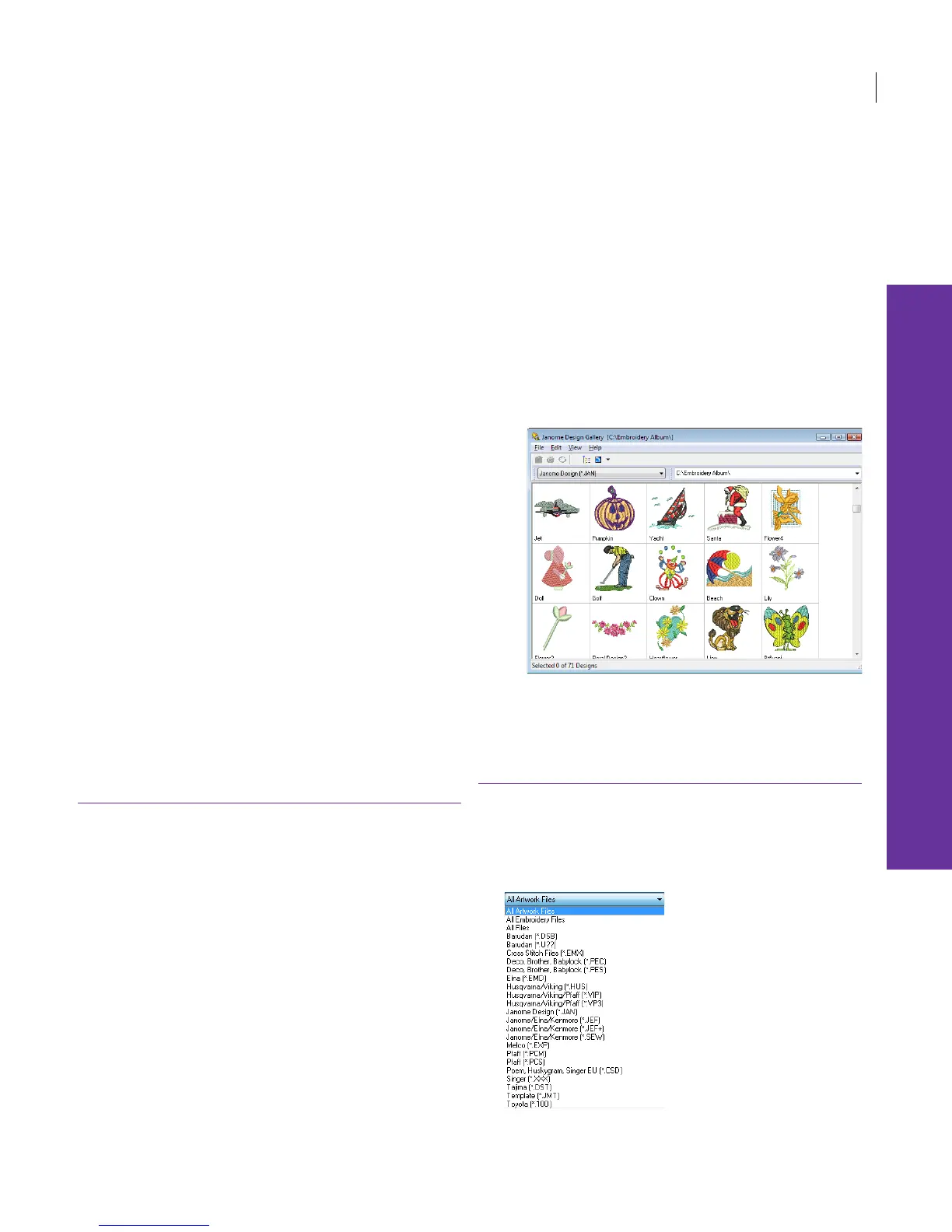
With Design Gallery you can filter the contents of
any design folder to show only certain types of file
– e.g. only JAN files.
To limit file types displayed
1 Open Design Gallery and select a design folder. See
Viewing designs in Design Gallery for details.
2 Click the Files dropdown on the toolbar.



 To Next Page