CONFIGURATION AND CALIBRATION – DSC Setup Software
Page 54 of 80
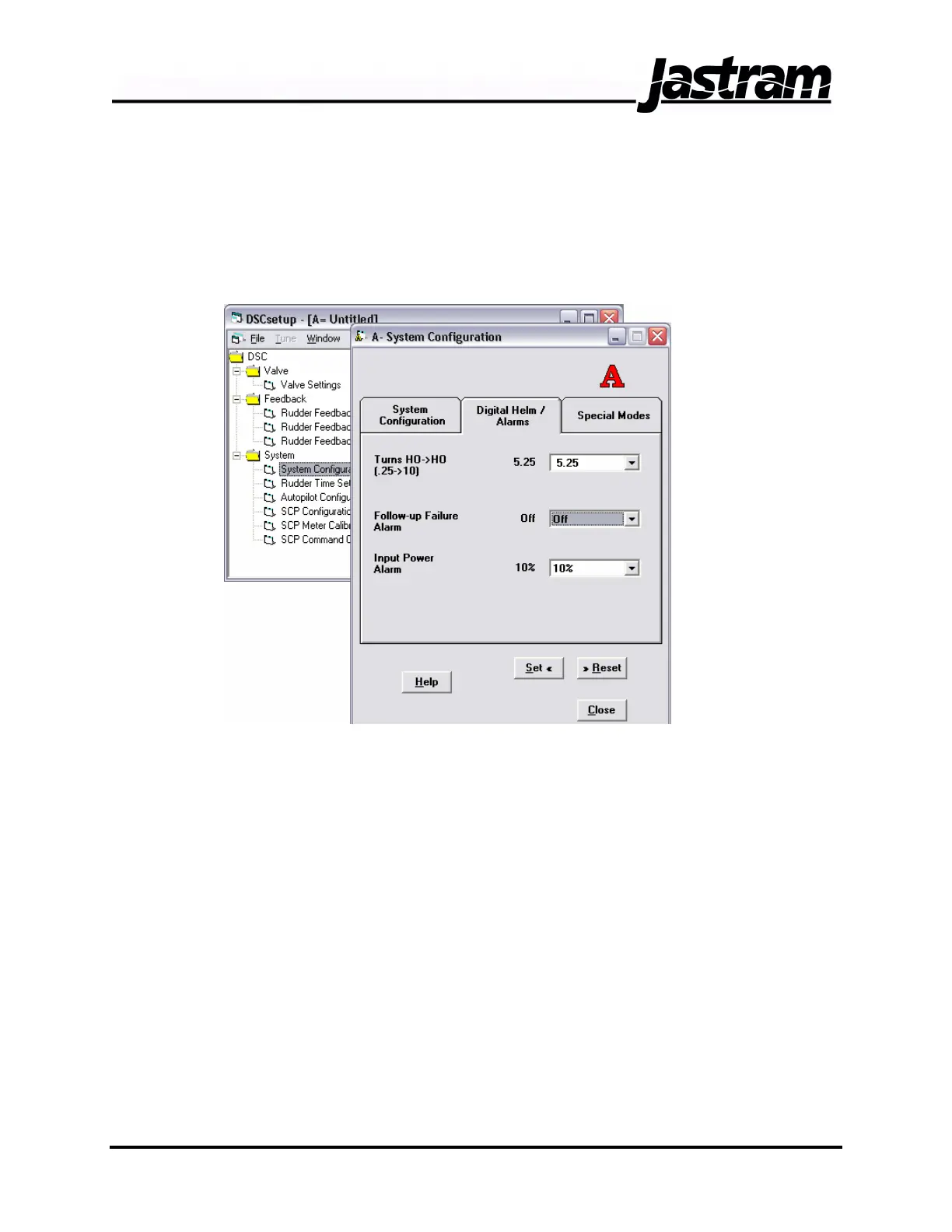
Property Sheets contain specific configuration and parameter data to be
displayed and changed.
The contents of Folders or Property Sheets are displayed by double-
clicking on the icons to open the item. When a Property Sheet is opened,
a window containing the appropriate information appears.
DSCsetup has default settings for all of the specifications of a system…
valve settings, feedback configuration, autopilot configuration etc. These
settings may have little or nothing to do with the system you will be
controlling.
Use DSCsetup “off-line” to create configuration data for a new Controller;
and “on-line” to insert previously generated configuration data into a DSC
or to calibrate and tune the system.
Values entered in Data Entry Blocks do not become effective until the SET
button is clicked. The RESET button will put the current / existing values
back into the Data Entry Blocks. DSC SAVE under the FILE menu bar
puts these current values into the DSC’s memory.
OPEN DSC under the FILE menu bar connects to a DSC in “on-line”
mode and that controller’s configuration information (if an RS-232 cable
connects the computer and DSC) is displayed. When a DSC is connected
Doc No.: MAN01504, 20-02-06 DSC 100 & MCP 100 Manual



 To Next Page