CONFIGURATION AND CALIBRATION –Software Config.
Page 60 of 80
Select the appropriate settings from the drop down lists and enter the
appropriate values in the Data Entry Blocks. When finished, click the SET
button before clicking the CLOSE button.
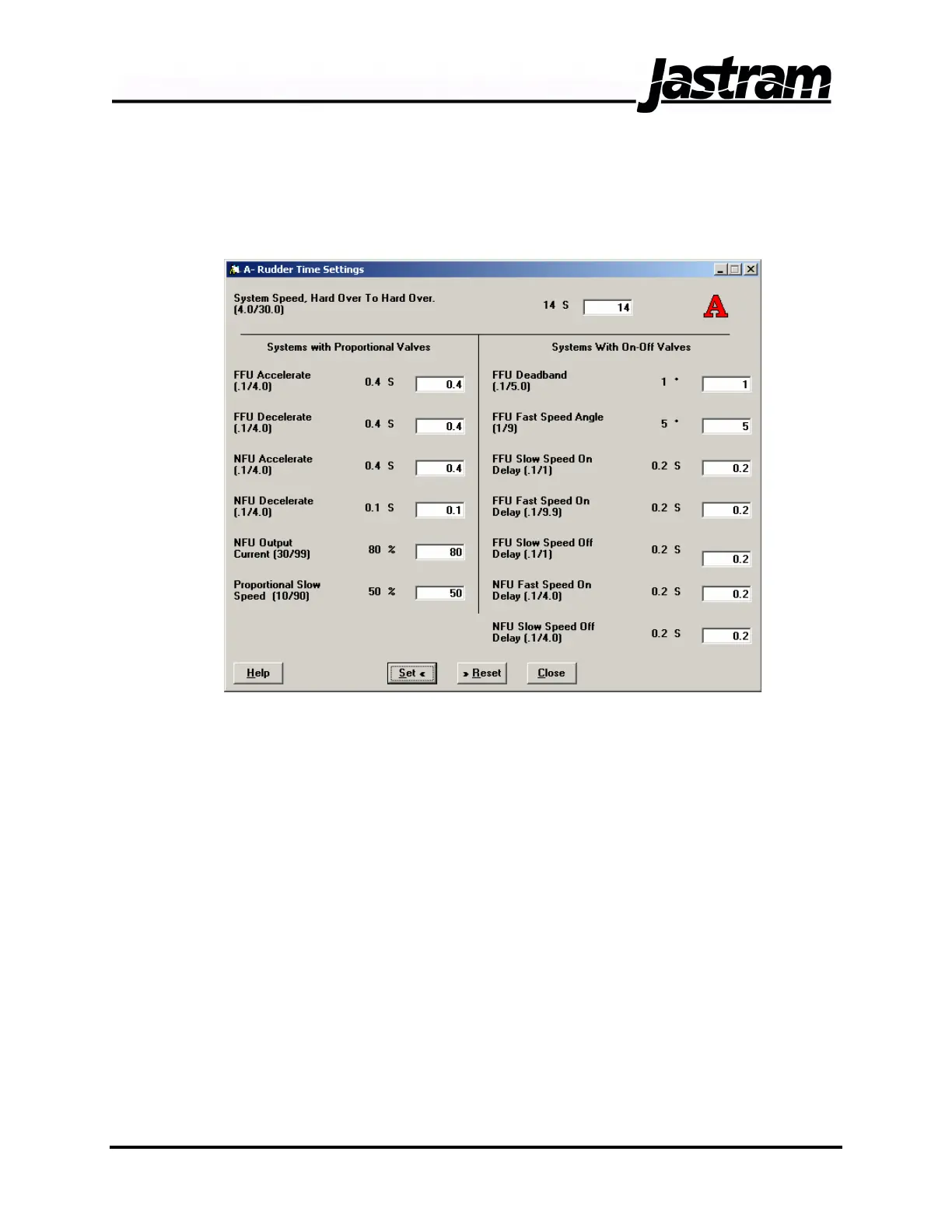
Rudder Time Settings Window
The Rudder Time Settings Window provides control over how the system
moves the rudder from one position to another. In the first field enter the
time, in seconds, required or desired for the rudder to move from hard
over to hard over. For a proportional valve this will be the desired hard
over to hard over time under fast rudder speed control. Ensure that the
hydraulic system is capable of moving the rudder at a rate slightly faster
that this value with the spool of the proportional valve fully shifted. For on-
off valves enter the number of seconds it takes for the hydraulic system to
move the rudder from one hard over to the other when shifting only the
directional valve.
The remaining Data Entry Blocks are separated into two groups. Enter
data in the blocks on the left for systems using proportional solenoid
valves and on the right for systems using on-off solenoid valves.
For proportional valves, the FFU Accelerate and FFU Decelerate values
determine the amount of time, in seconds, the rudder will take to
accelerate from a standstill to maximum rotational speed and decelerate
from maximum rotational speed to a standstill.
Doc No.: MAN01504, 20-02-06 DSC 100 & MCP 100 Manual



 To Next Page