32
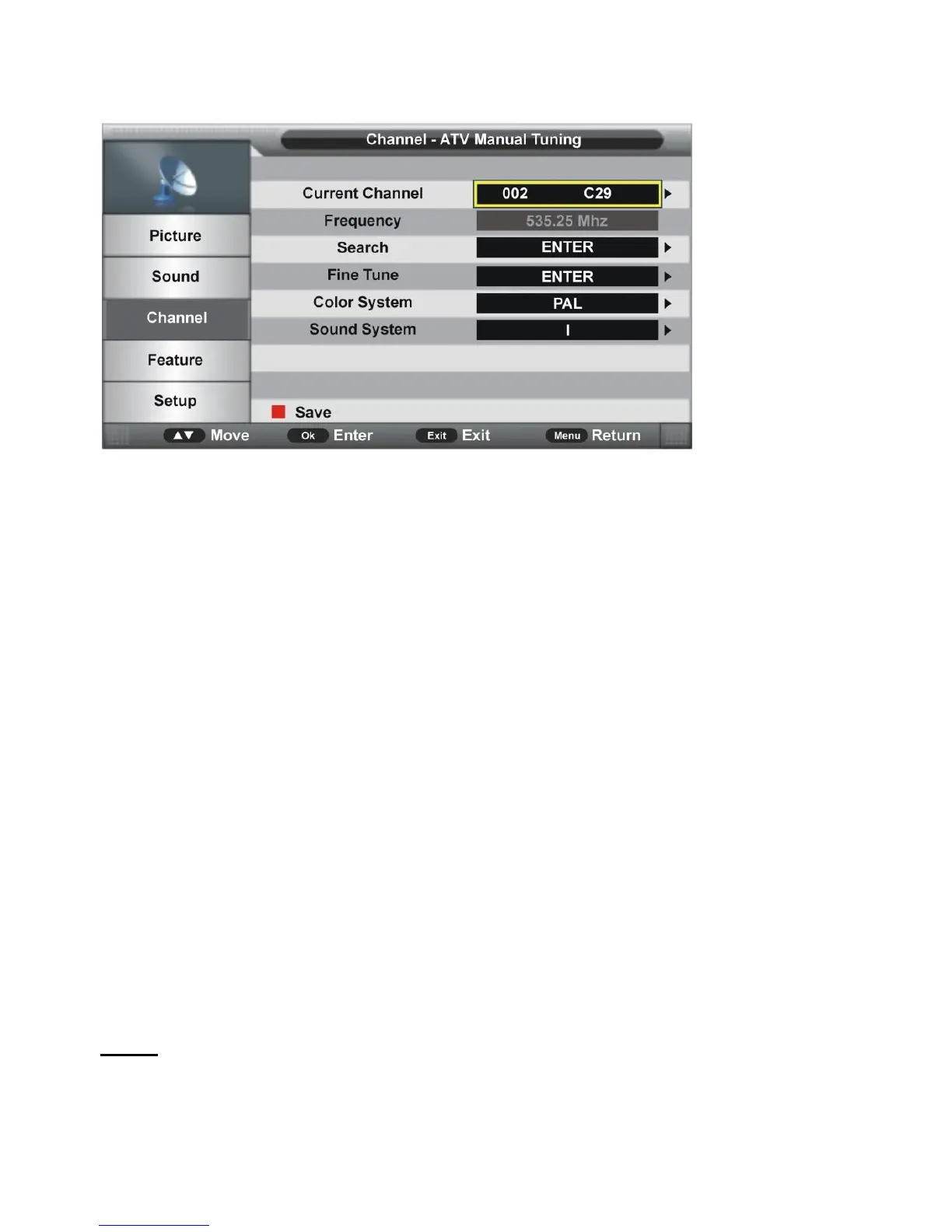
3.7 ATV Manual Search (for ATV input source only)
3.7.1 Current Channel
Press OK or RIGHT navigation button to enter submenu and press UP/DOWN navigation
buttons to select preferred program.
3.7.2 Frequency
This item is not user adjustable.
3.7.3 Search
This item is used to start searching.
3.7.4 Fine Tune
Press OK or RIGHT navigation button to enter submenu and press LEFT/RIGHT navigation
buttons to fine tune it.
3.7.5 Color System
Press OK or RIGHT navigation button to enter submenu and press UP/DOWN navigation
buttons to select preferred color system.
Available options: Auto, PAL, SECAM.
3.7.6 Sound System
Press OK or RIGHT navigation button to enter submenu and press UP/DOWN navigation
buttons to select preferred sound system.
Available options: BG, DK, I, L, L’.
NOTE: The Sound System options may vary due to different Color System settings.
3.8 LCN On/Off
This item is used to turn on/off LCN (Logic Channel Number).



 To Next Page