25
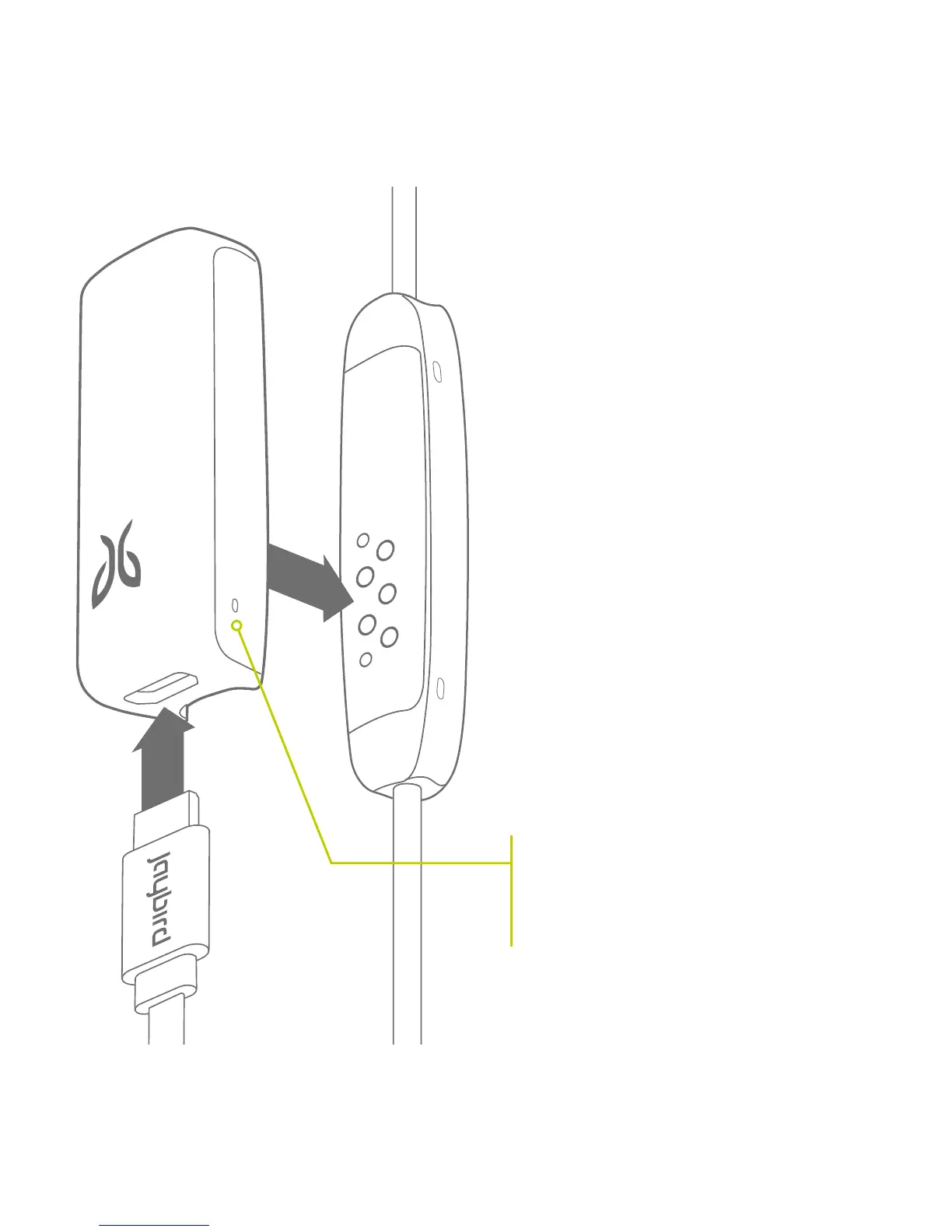
RED LED = CURRENTLY CHARGING
GREEN LED = FULLY CHARGED
(with USB cable connected to a
power source)
To charge your freedom buds,
securely attach the charging clip to
the back of the controller and insert
the micro USB end of your included
cable into the bottom end of the
charging clip. Plug the other end into
any 5V USB power source.
This charges both your buds and
the charging clip simultaneously for
extended listening.
CHARGING CLIP



 To Next Page